

Personnel file
Master data, holiday account, working time account, certificates with due dates and documents per employee in one place.
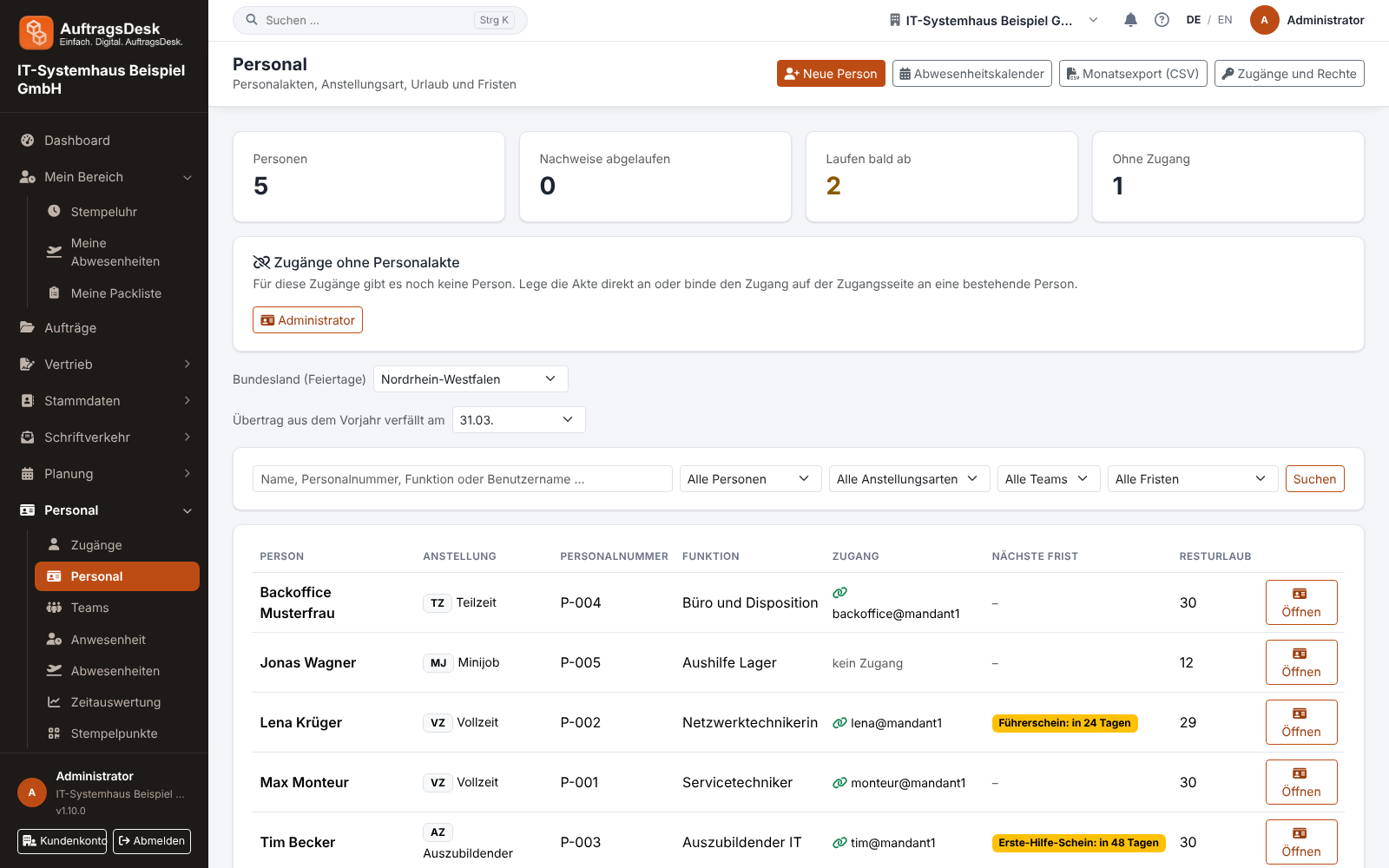
Under Personnel → Personnel each employee has a digital file, organised in six tabs.
The tabs
| Tab | Content |
|---|---|
| Profile | employment (type, role, personnel number, start date, weekly hours), address, date of birth, emergency contact |
| Holiday | entitlement, days taken and requested, remaining days, recorded absences |
| Working time | target hours to date and for the whole month, actual hours from the time clock, balance of the working time account |
| Certificates and due dates | ID cards, driving licence and permits with expiry date; before expiry AuftragsDesk reminds the person and the administrators |
| Documents | contracts, certificates, payslips, letters from correspondence |
| Joining/leaving | checklists for joining and leaving, see Joining and leaving checklist |
The balance is calculated against the target to date, so there is no deficit in the middle of the month.
Many people at a glance
The list under Personnel is paged. At the top you search by name, staff number, job title or user name and filter by status (not left, left, no login), employment type, team and deadlines (certificates expired or expiring soon). The figures above always count all people.
If several logins still have no personnel file, Create all … creates one for each of them and takes over the name and contact details from the login.
Leave carried over from last year expires
Above the personnel list you set when leave carried over from last year expires. The default is 31 March; any month end or never can be chosen. Leave taken uses up the carried-over days first.
Leave may only expire if the person was told beforehand. Anyone with an account gets the notice automatically six weeks before the date via the bell, push and e-mail. For people without an account, you notify them yourself, for example in writing, and tap Notice given in the Vacation tab. Without a notice, nothing expires. After the date, the leave account shows how many days have expired.
Sharing documents with the employee
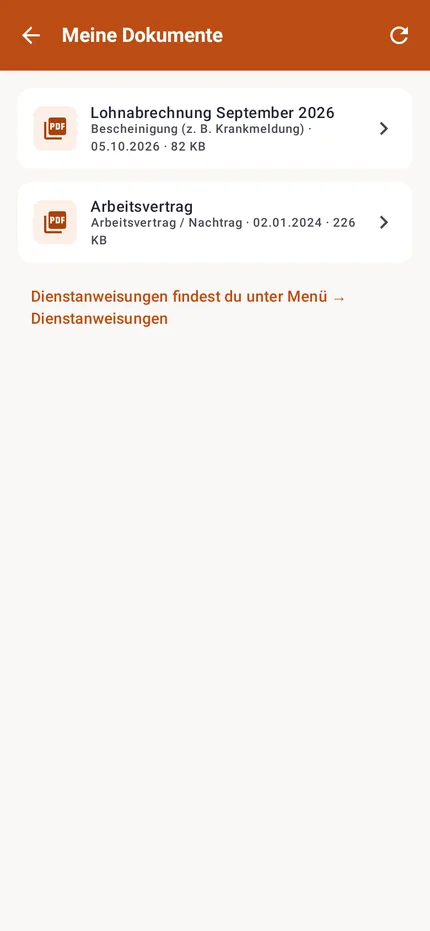
Every document is internal at first. Share (or the checkbox when uploading) makes it visible to the person, for example a payslip. They find it in the app under Menu → My documents. Every access is recorded in the activity log.
Data from the app
When an employee changes their phone number, address or emergency contact in the app, it goes straight into the personnel file. They cannot change their personnel number themselves.
The monthly personnel export and the DATEV export (payroll) under Data export use the values from the personnel file.