

Work instructions with read confirmation
Send instructions to selected staff, collect confirmation or electronic signatures and keep proof.
You create work instructions under Correspondence → Work instructions. Typical examples are rules for company vehicles, occupational safety or data protection.
Publishing a work instruction
- Click New work instruction and choose a template or write freely.
- Select the recipients, individually or with "all".
- Decide whether a read confirmation is required and whether recipients should sign electronically.
- Publish the instruction. It gets a number (
DA-2026-001).
Recipients get a notification (bell, push, optionally e-mail with PDF).
What the employee sees
In the browser under My work instructions (with a hint on the dashboard) or in the app under Menu → Work instructions. Reading works offline there too. Depending on the setting they confirm with one click or sign; this needs a connection.
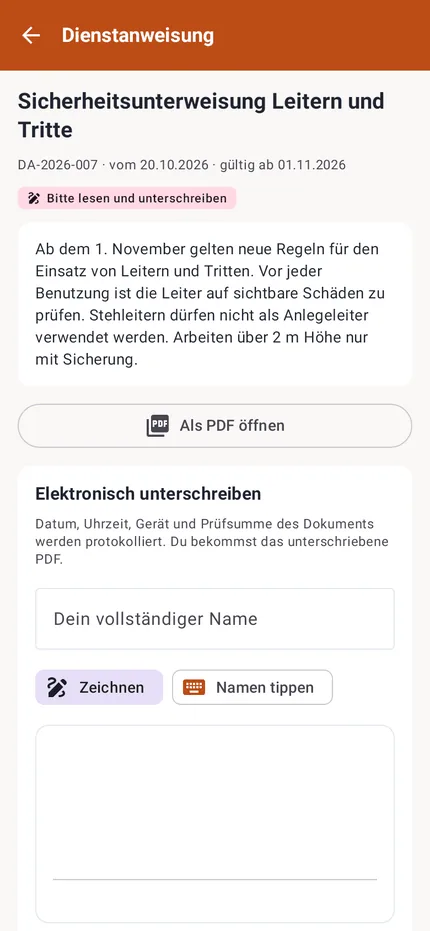
Proof
For each instruction you see who has read, confirmed or signed it. You can remind the others and download proof as a PDF. For people without an account you record a paper confirmation.
The electronic signature is a simple electronic signature with an audit trail. It is not sufficient for documents that legally require the written form.