
Time tracking for trades: the digital time clock right on the order
Employees clock in, out and take breaks with one click and assign their time to an order. The office gets a report per employee and period, without retyping time sheets.
Time sheets cost time and are error-prone
Handwritten slips get lost, are filled in from memory at the weekend and retyped in the office. That costs time and leads to disputes about hours. A digital time clock records the time when it happens.
What it looks like in AuftragsDesk
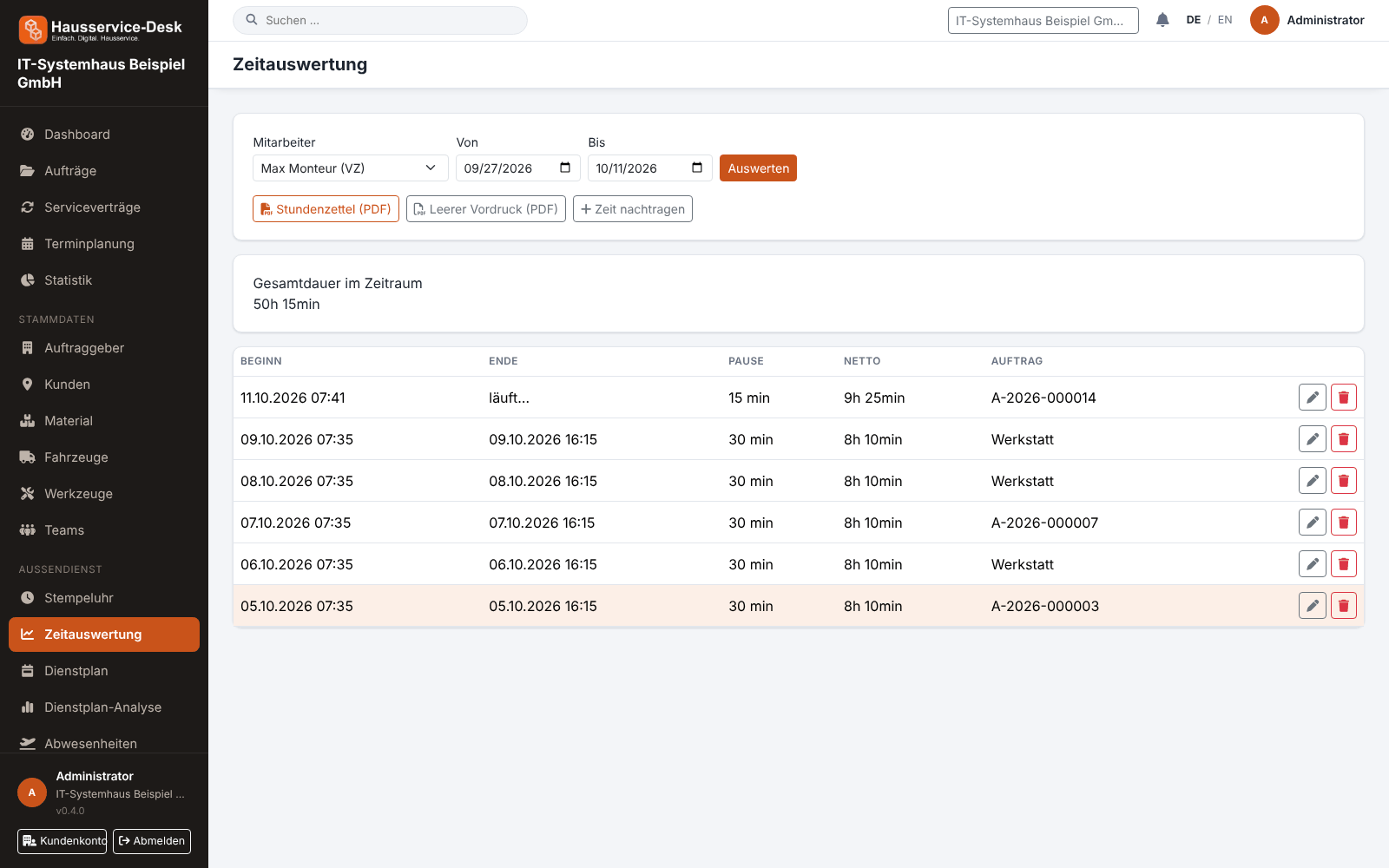
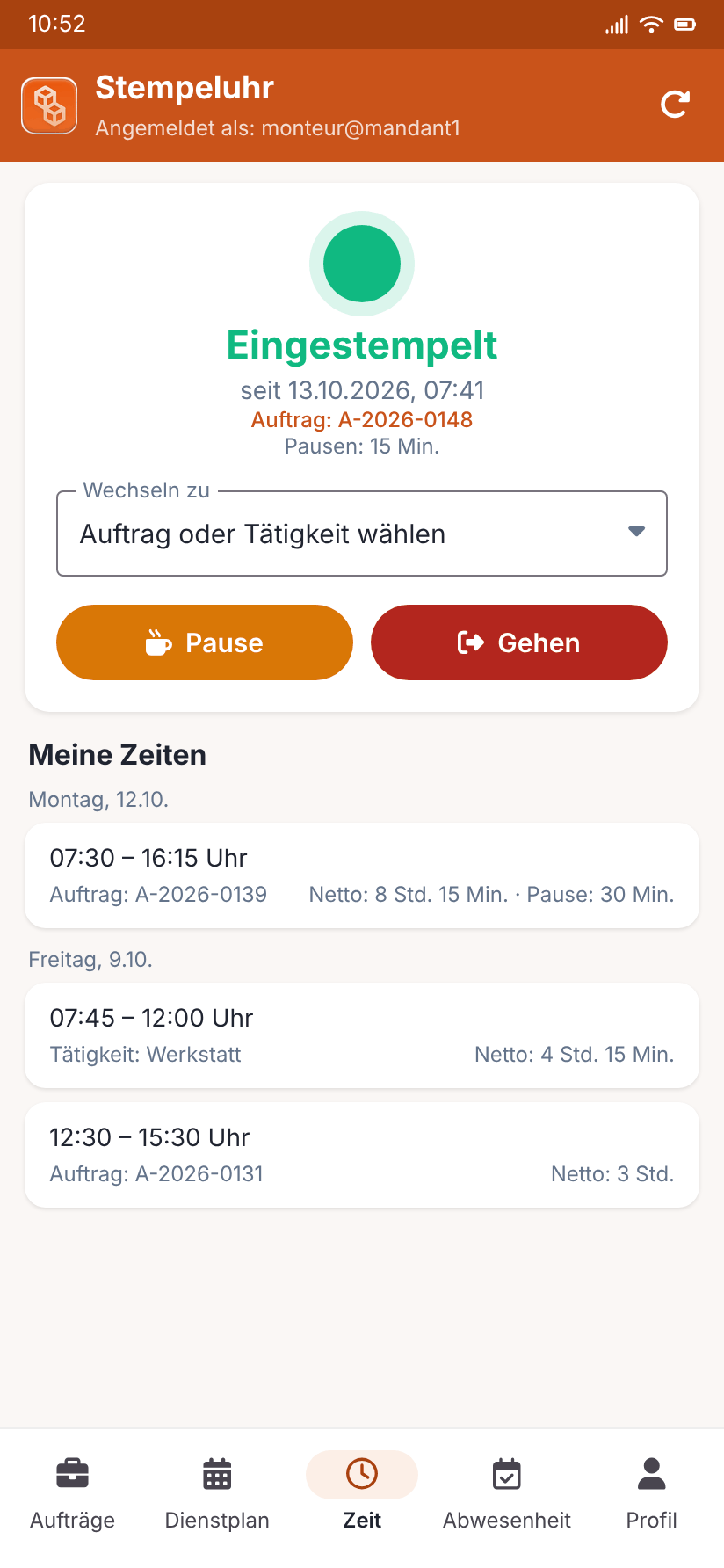
Views with sample data.
What AuftragsDesk does for you
Clock in and out
One click is enough: the time clock always shows whether and since when an employee is clocked in.
Record breaks
Start and end breaks separately. They are deducted from working time and the net duration is calculated automatically.
Switch order
When an installer moves to another job, they simply switch the order without clocking out. The hours are distributed cleanly across orders.
Report by period
Evaluate working hours per employee and period, including total duration, as a basis for payroll.
Own hours and permissions
Employees see their own hours. Who may see everyone's hours is defined through roles and permissions.
With or without an order
Recorded time can be assigned to an order or deliberately run without one, for example for workshop or office days.
How it works day to day
Clock in
The employee clocks in at the start of work and optionally selects the order.
Breaks and switching
Start and end breaks; switch the order when changing jobs.
Clock out and report
Clock out at the end of the day. The office evaluates hours per employee and period.
Frequently asked questions
Does the time clock replace the paper time sheet?
Yes, working time is recorded directly. The report shows start, end, breaks and net duration per employee and period.
Can I record time without an order?
Yes. A time entry can run without an order, for example for workshop or office days.
Who may see other employees' hours?
Only users with the permission to view all hours. You define that through roles and permissions.
More solutions
Job management
Control orders, customers, documents and material in one place, from intake to billing.
Installation report
Photos, hours and signature right on the order, as a PDF download.
Roster & scheduling
Shifts, appointments and absences in one plan, with planned-vs-actual comparison.
Material, fleet, tools
Stock, vehicle deadlines and inspection dates at a glance, with reminders.
Service contracts
Maintenance and facility services on a fixed schedule, with subscription billing and direct debit.
App for technicians
Everything for the job on one page: contact, route, workflow and job report.
Staff management
Personnel file, leave account, working time account and deadlines for IDs and certificates in one place.
Ready to try it?
Register, choose the plan that fits your business and get started. Cancel monthly, no setup fee.