

Quotes with digital acceptance
Write a quote with line items, send it as a PDF and let the customer accept by click or signature.
Under Sales → Quotes you write quotes with line items. When the customer accepts, the order is created automatically.
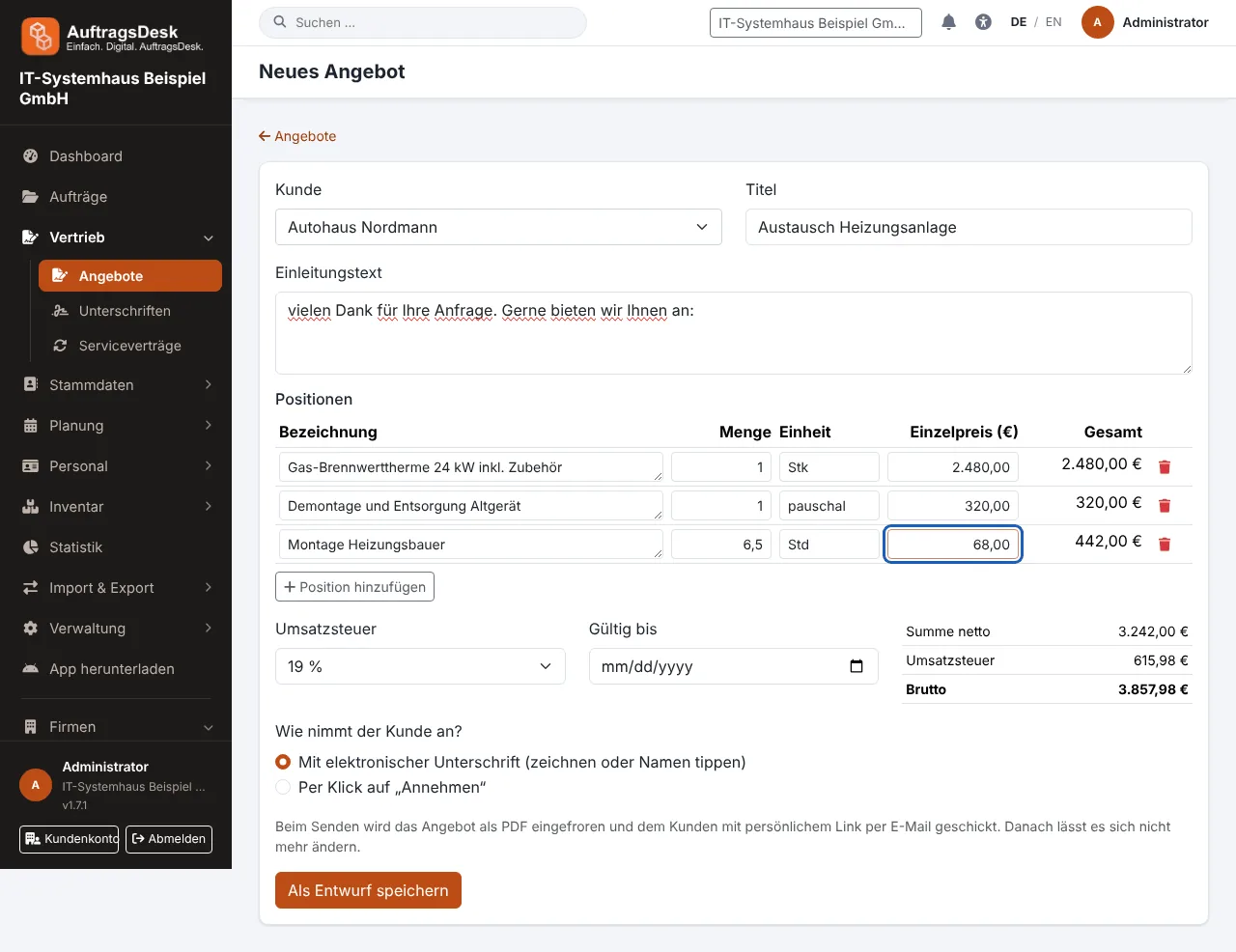
Writing a quote
- Open New quote and choose the customer.
- Enter an introduction and line items: description, quantity, unit, unit price. Totals update live.
- Choose how the customer accepts: by click or with an electronic signature.
- Save and send.
The quote PDF uses your company letterhead (logo, DIN 5008 address field, footer).
From a site measurement, "Create quote" produces a draft with quantities and units already filled in.
What happens when sending
- The PDF is frozen (with a checksum) and can no longer be changed.
- The customer receives an e-mail with the PDF and a personal link, even without access to the customer portal. Without an e-mail address AuftragsDesk shows the link for you to pass on.
- Via the link or in the customer portal the customer accepts or declines.
After acceptance
Acceptance creates the order with the line items in its description. You receive the signed PDF by e-mail and see status and audit trail on the quote page.
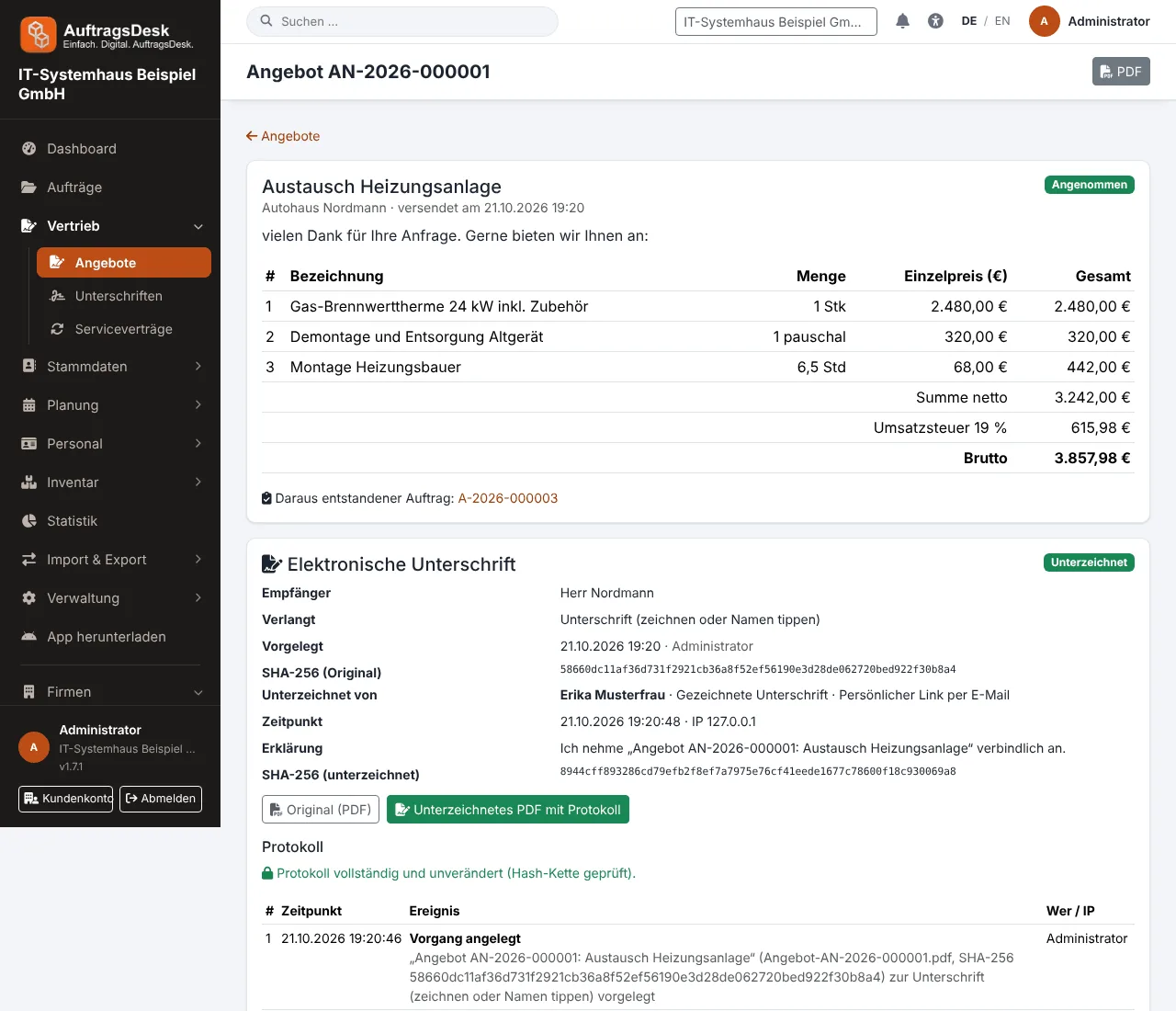
Send new link replaces the old link, Withdraw invalidates it.