

Recurring appointments
Create recurring appointments and change one, all following or the whole series.
Recurring appointments, such as the weekly team meeting, are created once as a series.
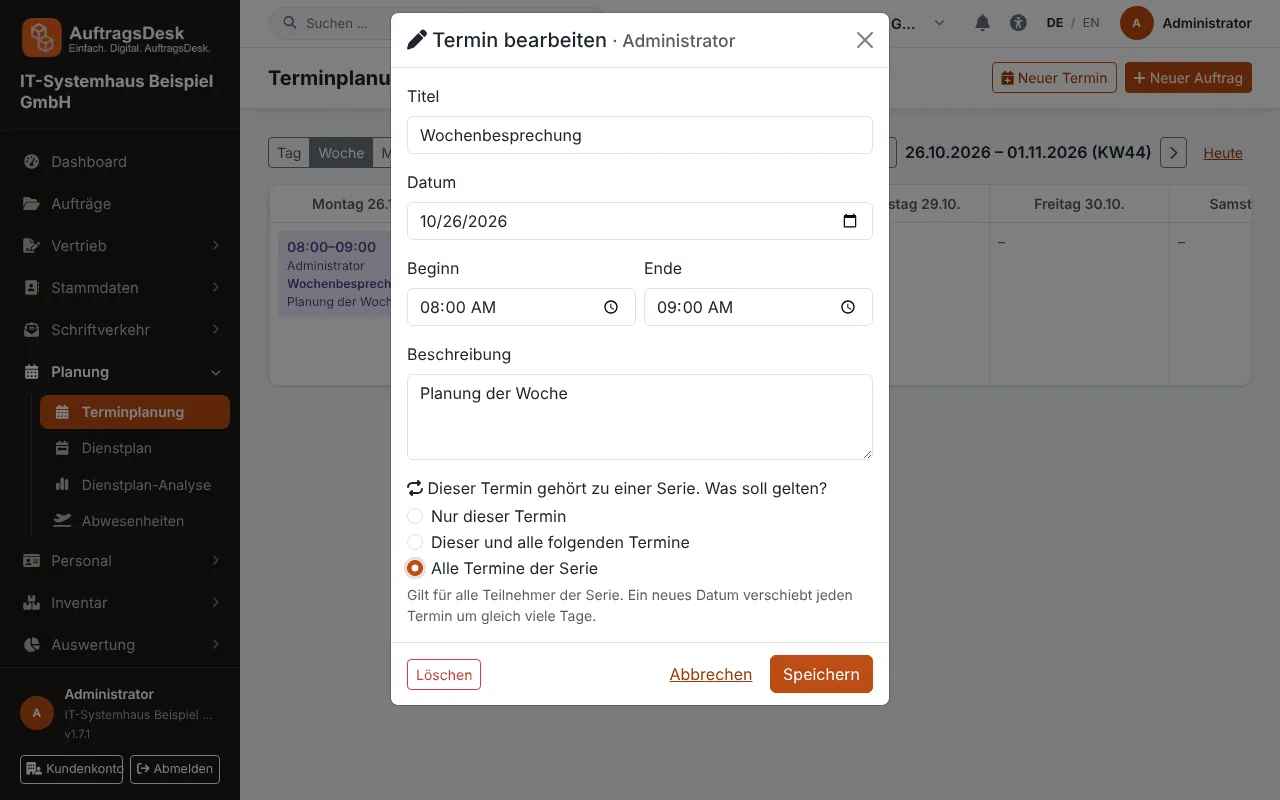
Changing or deleting a series
When editing or deleting a recurring appointment, AuftragsDesk asks like any calendar:
- This appointment only
- This and all following appointments
- All appointments of the series
The choice applies to everyone in the series. Start, end, title and description are taken over; a new date moves every appointment by the same number of days. Each employee receives just one message instead of one per appointment.
Recurring visits for the same order are added in the order under Visits. Recurring orders billed separately (e.g. annual maintenance) are handled by maintenance contracts.