

Leave and absences
Request and approve leave, record sickness, absence types and leave balance.
Everyone requests leave for themselves under My area → My absences. The office keeps track of all employees under Personnel → Absences.
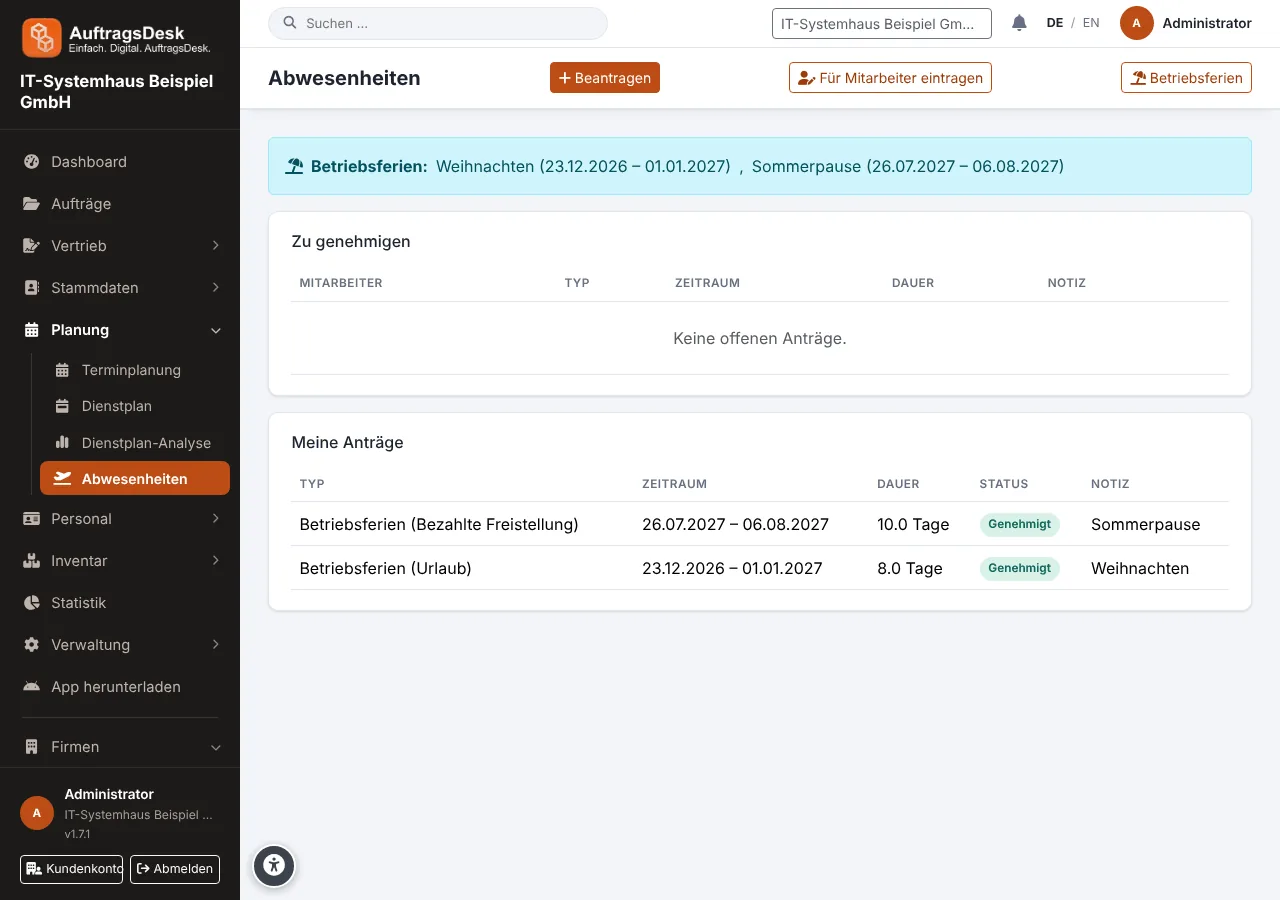
Requesting leave
Every employee requests leave for themselves, in the browser under My area → My absences or in the app under Menu → Leave and absence: choose the period, also half days, and submit. A request is first "Requested", then "Approved" or "Rejected" (with a reason). As long as it has not been decided, it can be withdrawn.
Employees can request leave, sickness and other themselves. Training, vocational school, business trips and paid leave are entered by the office. Anyone with the permission "Manage absences" (by default admin and back office) can choose every type, also for themselves, and enters absences for employees under Personnel → Absences.
The same page shows your own leave balance (entitlement, taken, requested, remaining) and My year: a calendar of all twelve months with every absence marked in colour.
Overview of all employees
People who may "manage absences" find the overview under Personnel → Absences:
- Key figures: how many are away today, how many of them sick, and how many requests are open.
- To approve: approve or reject open requests one by one or several at once.
- Per employee for the selected year: leave entitlement, taken, requested, remaining, sick days, other days, open requests and the next absence. Filter by name, "Absent today" and "With open request".
- Monthly calendar: all employees below each other, one box per day.
- Clicking a name opens the person's year overview with all entries. Requests can be decided there and wrong entries deleted.
With Enter for employee the office records an absence directly, such as a sick note, also for people without a login. It is approved immediately. If the person is assigned to orders during that time, see Rescheduling orders when someone is off sick.
The leave balance appears once an entitlement is set in the personnel file.
Absence types
| Type | Counts as |
|---|---|
| Leave | deducted from the leave balance |
| Sickness | credited to the working time account |
| Training, vocational school, business trip | working time, clocking in remains possible |
| Paid leave of absence | credited like leave, not deducted from the leave balance |
| Other | as agreed |
If a full-day sickness is recorded during leave, those days are not deducted from the leave balance.
Where absences take effect
Everywhere: in the duty roster, as a warning in scheduling, at the time clock, in the leave balance of the personnel file, for free slots of online booking and in the app.
For days when the whole company is closed see company holidays.