

Duty roster
Weekly plan with shifts, orders and absences per employee, publish it and export as PDF.
The duty roster shows who works when, week by week: shifts, scheduled orders and approved absences in one grid, grouped by team.
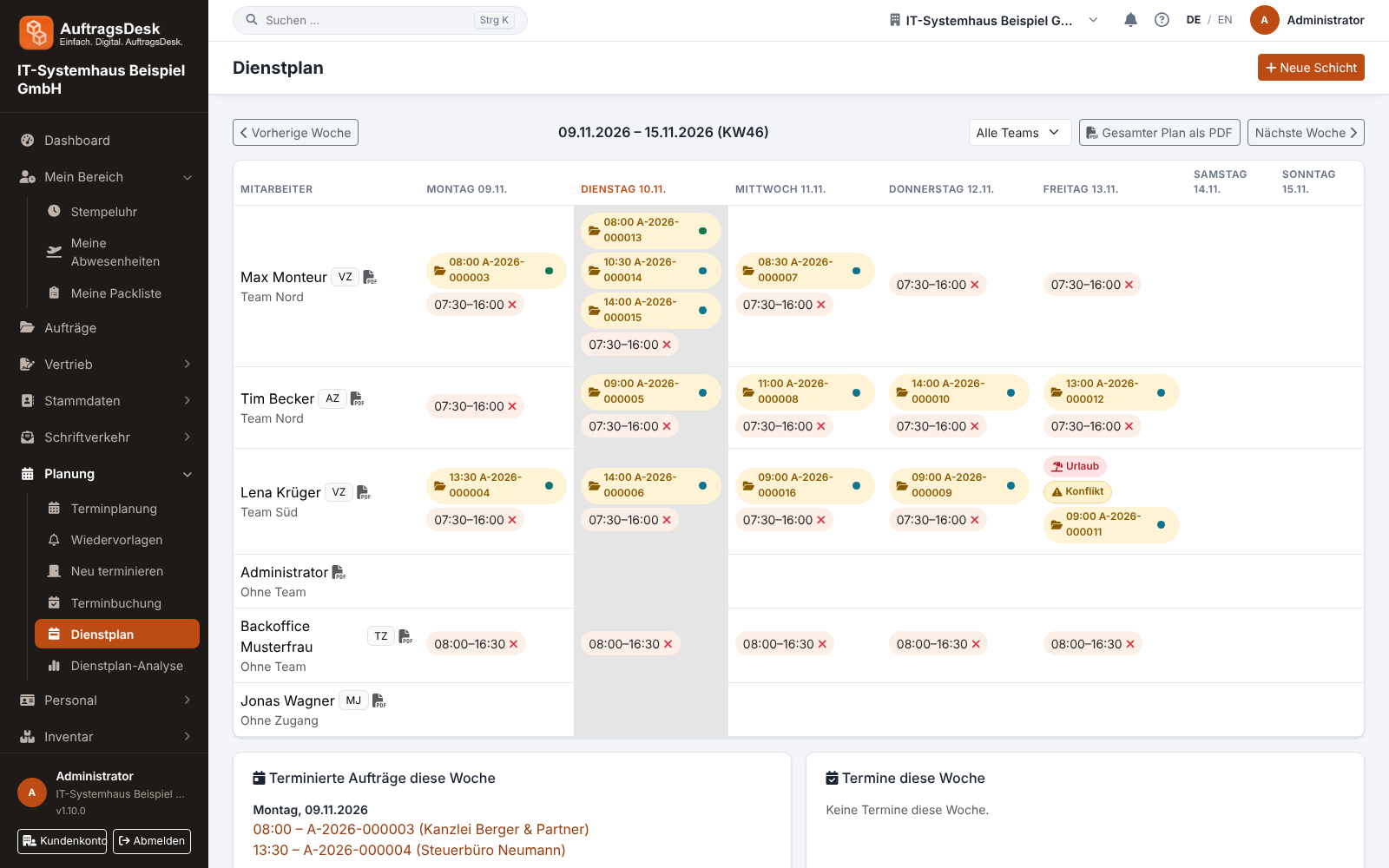
Planning shifts
- Open Planning → Duty roster and choose the week.
- Click the day in an employee's row and enter start, end and a note.
- Clicking a shift opens it for changes or deletion.
With New shift you can also pick several people at once: each chosen person appears as a chip in the field and gets their own shift. Click the ✕ on a chip to remove the person again before creating.
Appointments without an order
An entry with a title (e.g. "Team meeting") is an appointment; its note is then called description. You change title and description here in the duty roster (click the time or the title) just as in scheduling. Both places edit the same appointment, a change shows up in the other place right away. Without a title the entry stays a regular shift.
Scheduled orders appear automatically in the day cell of the assigned employee, team orders for every team member. Leave and sickness show as a coloured bar so double bookings stand out immediately.
Publishing
New, changed and deleted shifts, order appointments, assignments and visits are first a draft of the week. When the week is ready, you publish the roster. Only then do they appear in the apps: in the order list (My orders and All), in the order itself, under Times → Duty roster and as a notification. Until then employees see the last published state; an order whose appointment is only in the draft appears under All without appointment and assignment. Later changes go into the draft again and apply after the next publishing.
Even those who may manage the roster only see the published state in the app. The app shows how many changes of the week are not yet published; publishing is done on the web.
Analysis and PDF
The roster analysis evaluates the planning per employee. The roster is available as a PDF for the notice board, also under data export.
Without the permission "Manage duty roster" people only see their own row.