

Damage reports from the customer portal
Customers report damage with photos themselves; the office reviews it in the order import and creates the order in one click.
Customers with portal access, such as property managers, report damage themselves under Portal → Damage reports.
What the customer enters
- description and location within the property
- address of the property (prefilled for individual customers)
- contact on site and access, e.g. "key with the caretaker"
- their own case number and Urgent
- up to 10 photos (JPG, PNG or WebP, max. 15 MB each)
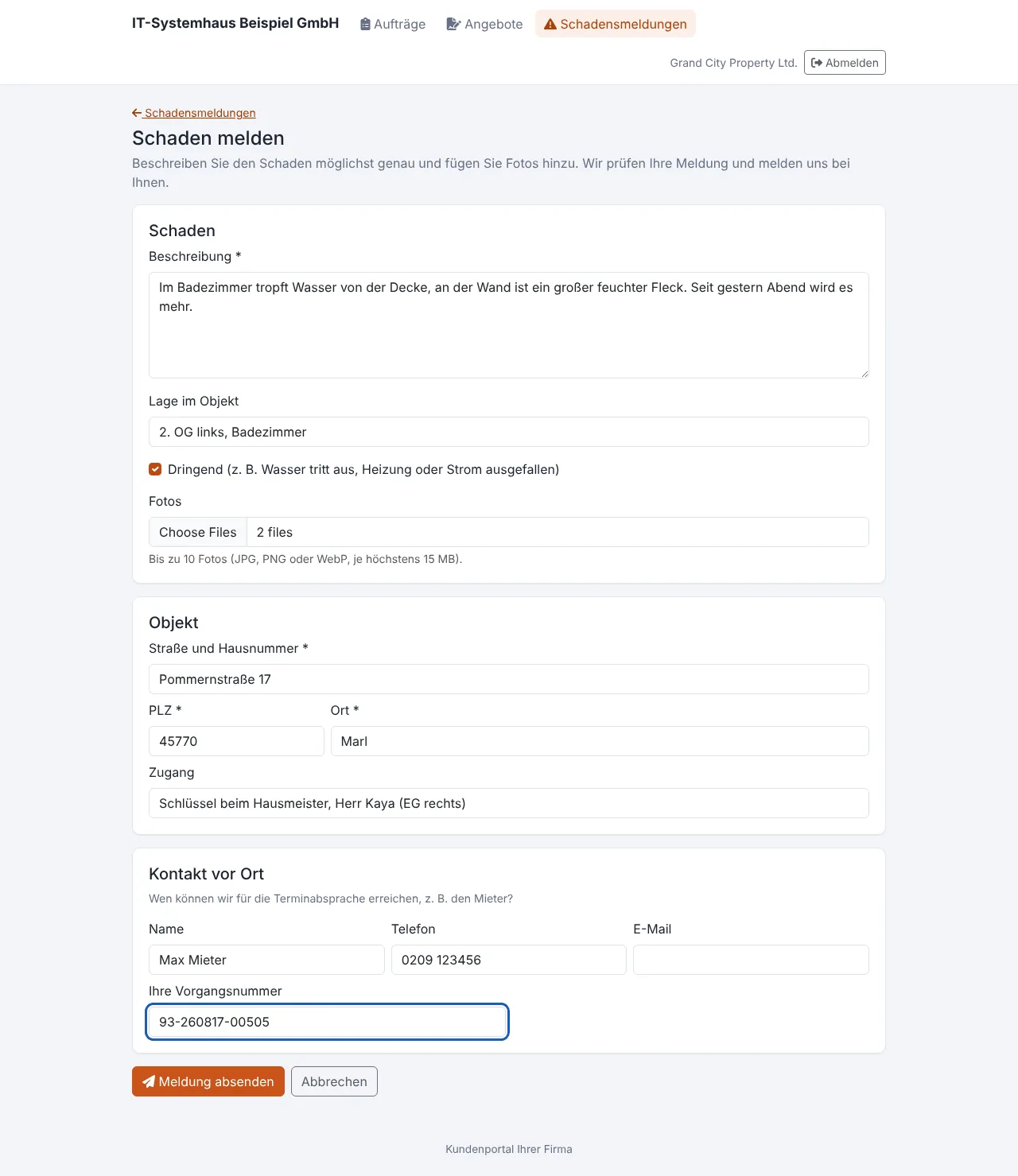
Each report gets a number (SM-2026-0001). The customer receives a confirmation by e-mail.
How the office handles the report
- Everyone with the order import permission gets a notification. Urgent reports are listed first.
- The report appears in the order import as an entry To review, source "Customer portal".
- Check the details next to the report and photos and choose the customer.
- Create order creates the order. The photos are then attached to the order as documents.
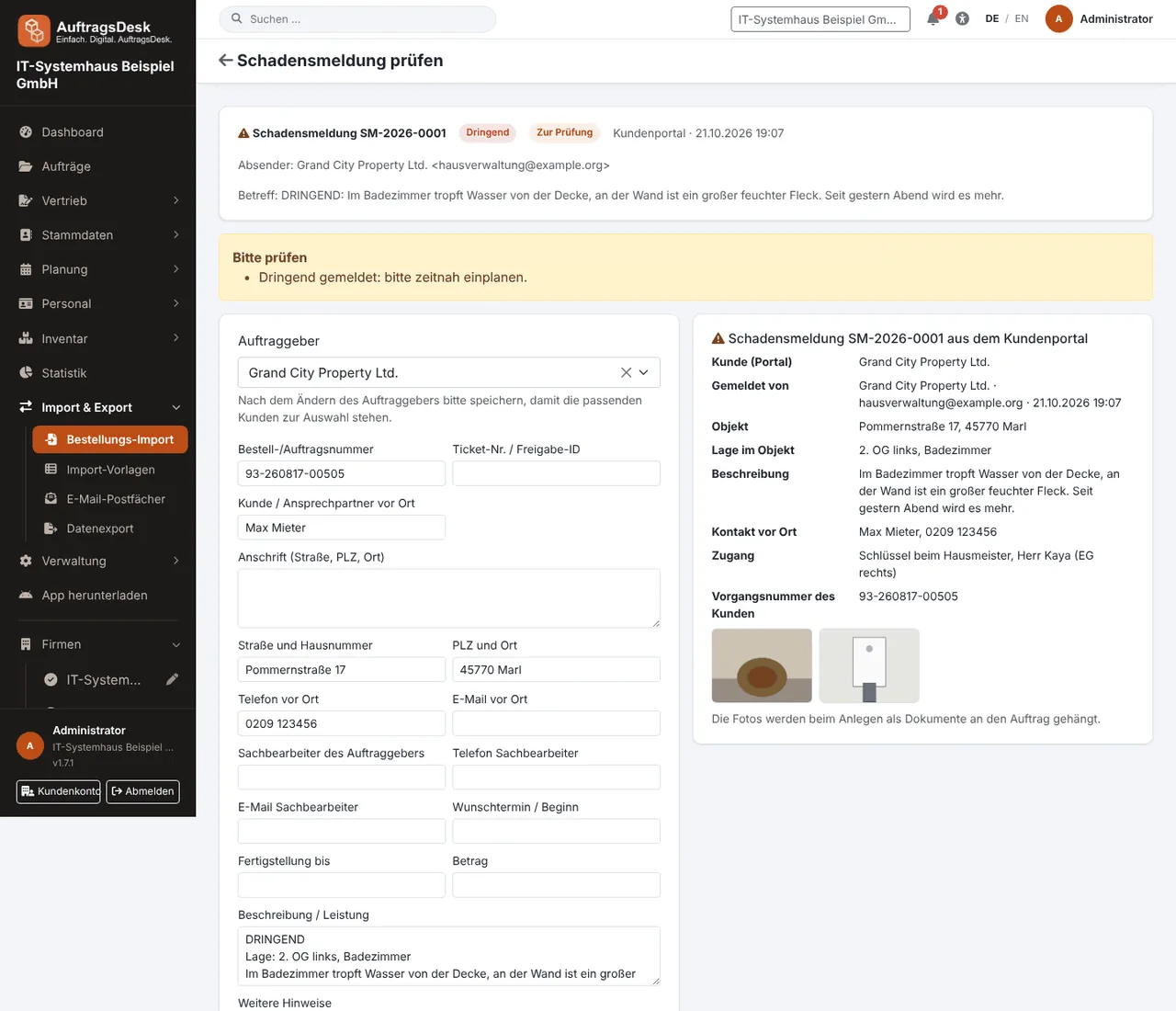
When rejecting, you can add a message for the customer. In the portal the customer always sees the status: received, in review, order created (with status and appointment) or rejected.
Don't want reports via the portal? Switch damage reports off at the top of the order import. The menu item and form then disappear from the portal.