

Integrations overview
Which services you can connect, how connecting works and where you see the status.
Under Administration → Integrations you connect AuftragsDesk with the services you already use. You need the "Manage integrations" permission.
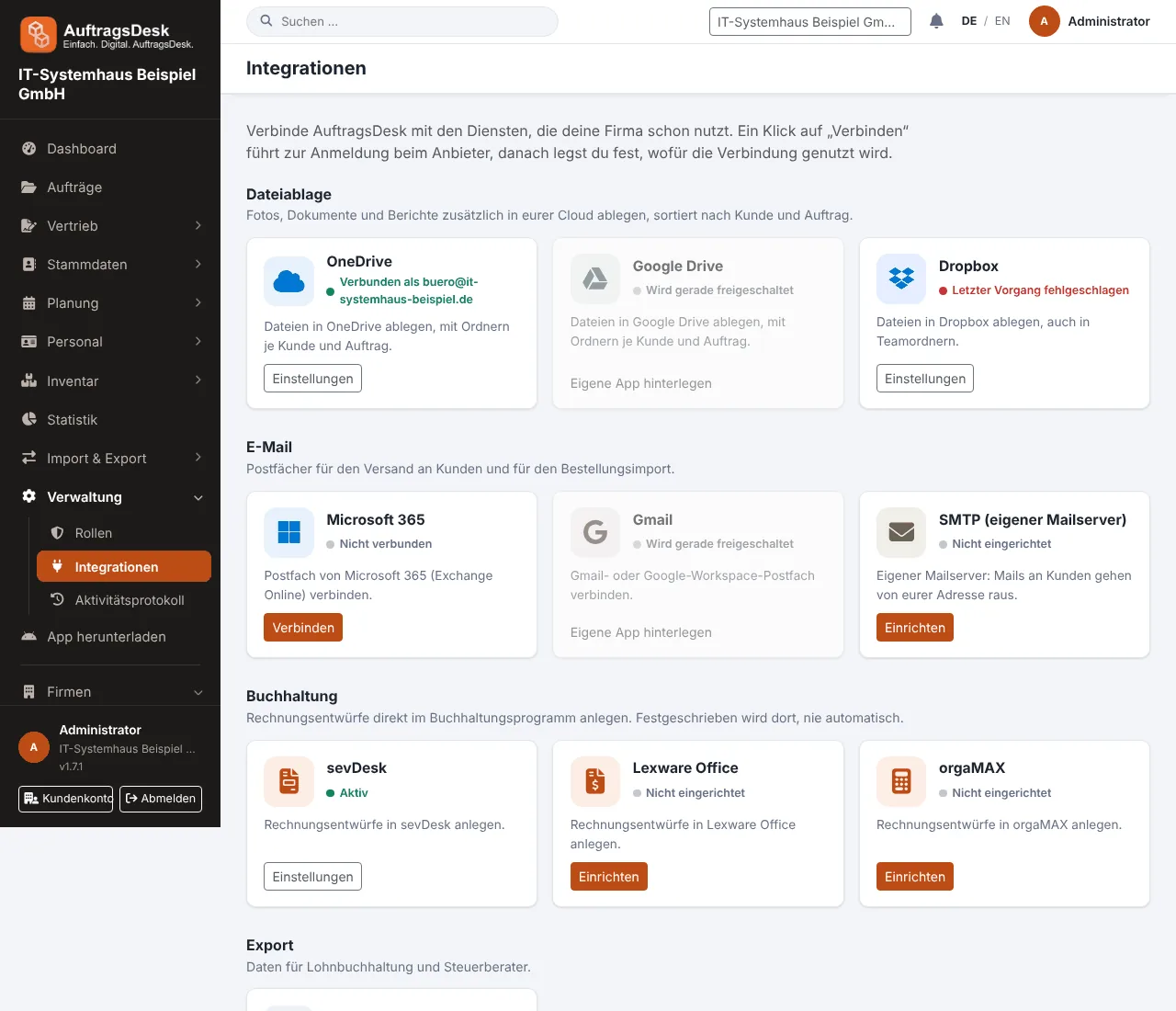
What you can connect
| Area | Services | Purpose |
|---|---|---|
| File storage | OneDrive, Google Drive, Dropbox | store photos, documents and reports automatically |
| Microsoft 365, Gmail, own mail server (SMTP) | fetch order mailboxes, send customer mails from your address | |
| Accounting | sevDesk, Lexware Office, orgaMAX | create invoice drafts |
| Export | DATEV LODAS, CSV | payroll, orders, customers, working times |
| Provided by AuftragsDesk | routes and travel times, push notifications, API and webhooks | works without setup or for your own systems |
Each tile shows its status: "Connected as office@company.com", "Not connected" or "Last action failed".
Connecting
- Microsoft, Google, Dropbox: click Connect and sign in with the provider. You do not hand any password to AuftragsDesk.
- Your own app (optional): if your IT only allows its own apps, enter your app's client ID and secret on the detail page under Use your own app. Remove your own app deletes them again and disconnects; you then connect again using the AuftragsDesk app.
- Accounting and SMTP: enter the API key or credentials. They are stored encrypted and the connection is tested immediately.
The detail page
After connecting you land on the integration's detail page. It shows the connected account, who connected it and when, the last successful action and the last error. You can also test, reconnect or disconnect.
An error at the provider never prevents saving in AuftragsDesk. It is shown on the integration so you can fix it.
More: Accounting, File storage and e-mail, API and webhooks.