

Connecting accounting (sevDesk, Lexware Office, orgaMAX)
Create invoice drafts in your accounting software directly from completed orders and service contracts.
AuftragsDesk does not write its own invoices. Instead it creates invoice drafts in your accounting software. There you review, finalise and send them as usual. Your accounting software stays the single place for invoices, number ranges and tax.
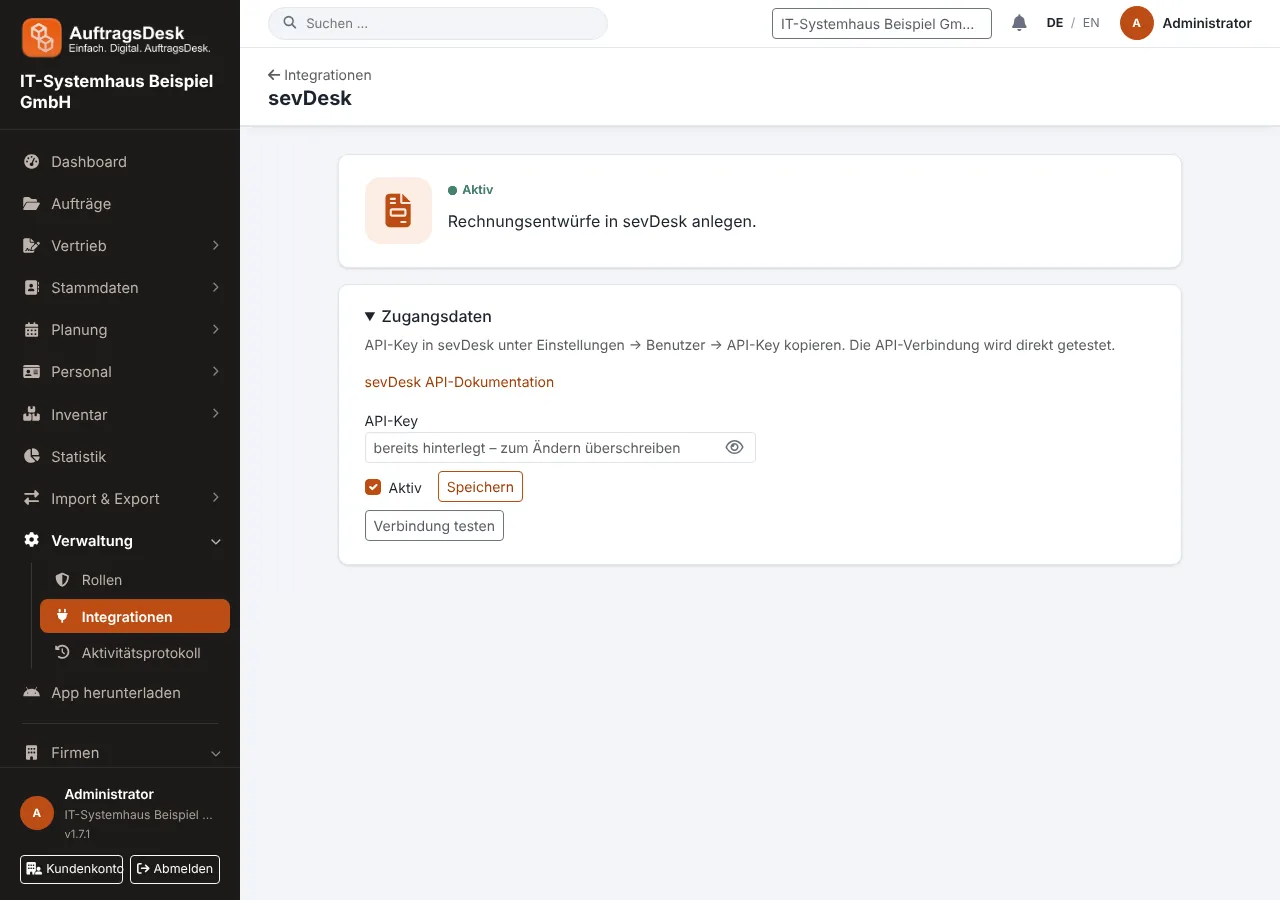
Connecting
| Software | What you need |
|---|---|
| sevDesk | API key from sevDesk under Settings → Users |
| Lexware Office | API key from Settings → Public API |
| orgaMAX | API key, API secret and ownership ID from Settings → Interfaces |
- Open Administration → Integrations and the tile of your software.
- Enter the credentials and save. The connection is tested right away.
Invoice draft from an order
- Open the completed order and choose Invoice draft.
- AuftragsDesk suggests the line items: working time, booked materials and other services, plus rent for loaned equipment and any emergency surcharges you have set up.
- Adjust the items and send the draft to your accounting software.
For maintenance contracts drafts are created automatically on the billing date, optionally together with a SEPA direct debit file.
Drafts are not finalised. They only get an invoice number when you finalise them in your accounting software. The last sent draft counts as revenue in job costing.