

Setting up import templates
Mark once in a sample PDF where each detail is, then AuftragsDesk reads every order from that client.
An import template belongs to one client. It recognises that client's purchase orders by keywords in the PDF and knows where each detail is.
Creating a template by marking
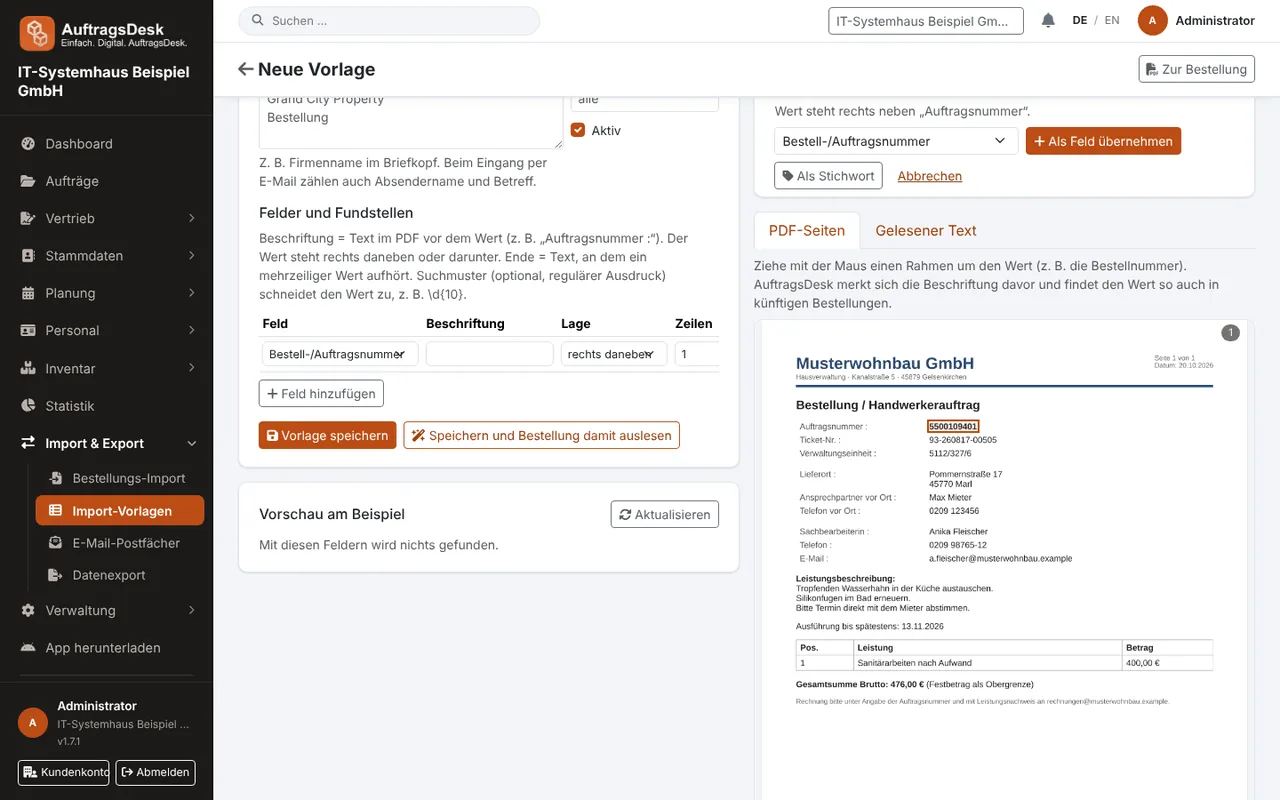
- Import & Export → Import templates → New template, choose the client and upload a sample PDF.
- Draw a box around the value on the page image (or select the text) and choose the field, e.g. "Order number".
- AuftragsDesk remembers the label in front of it and immediately shows a preview of the value read.
Fine-tuning
Per field you can set the position (right of, below, left of, above, whole line, search pattern in the text, subject or sender of the e-mail, fixed value), number of lines, end text and whether it is mandatory. "Only read the first pages" excludes attached third-party documents.
Custom fields
Custom field … creates fields with your own name, such as cost centre or property number. They appear in the review screen and end up as custom fields on the order.
Test a new template with two or three older orders from the same client. You'll quickly see whether layout differences are covered.