Global search and keyboard shortcuts
Find anything with Ctrl+K and jump to any page with a few keys.
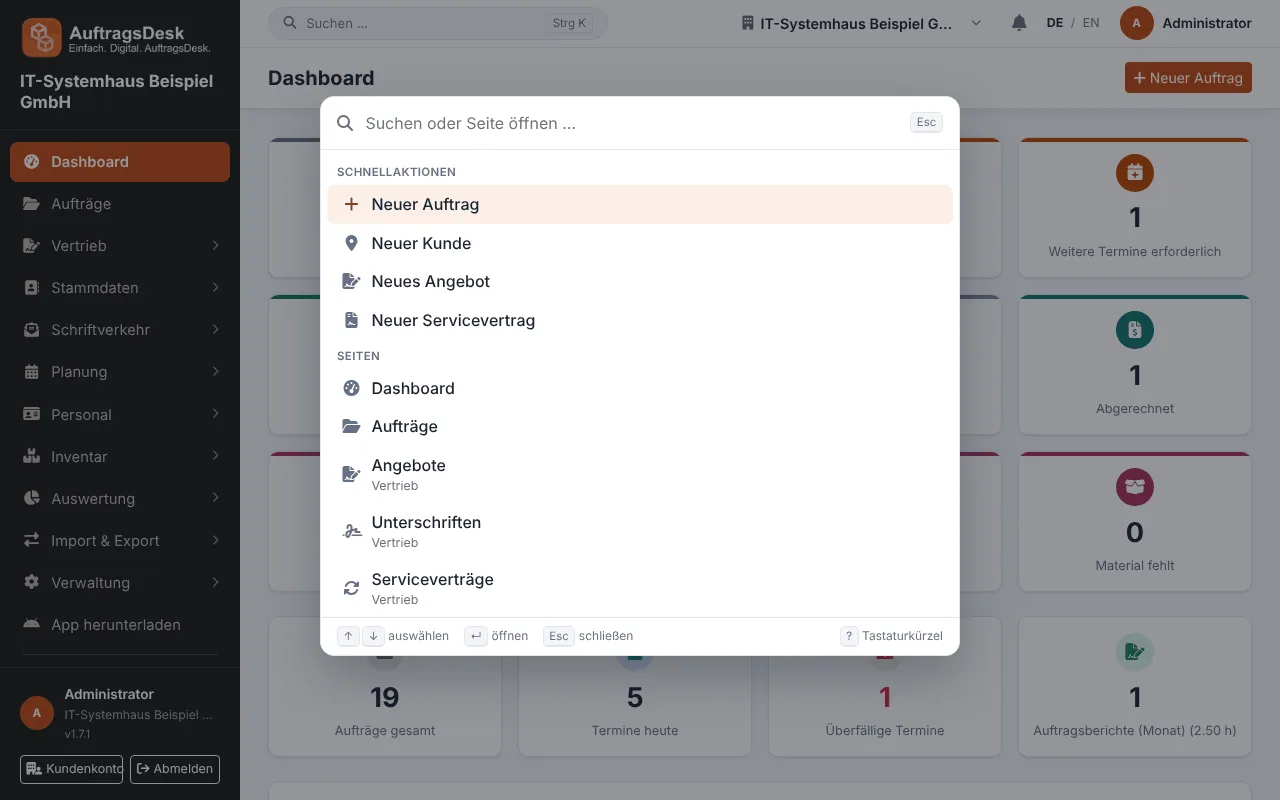
On every page, Ctrl+K (Mac: ⌘+K) or the / key opens the search window.
What search finds
Orders, customers and sites (also by street, postcode, city and contact person), clients, quotes, service contracts, correspondence, documents attached to orders, invoices, materials, vehicles, tools and users. Plus every page of the sidebar and quick actions such as "New order".
You only see what your permissions allow you to open. Technicians, for example, only find their own orders.
Keyboard control
| Key | Effect |
|---|---|
| ↑ / ↓ | select a result |
| Enter | open the result |
| Ctrl+Enter | all results on the search page |
| Esc | close the window |
Page shortcuts
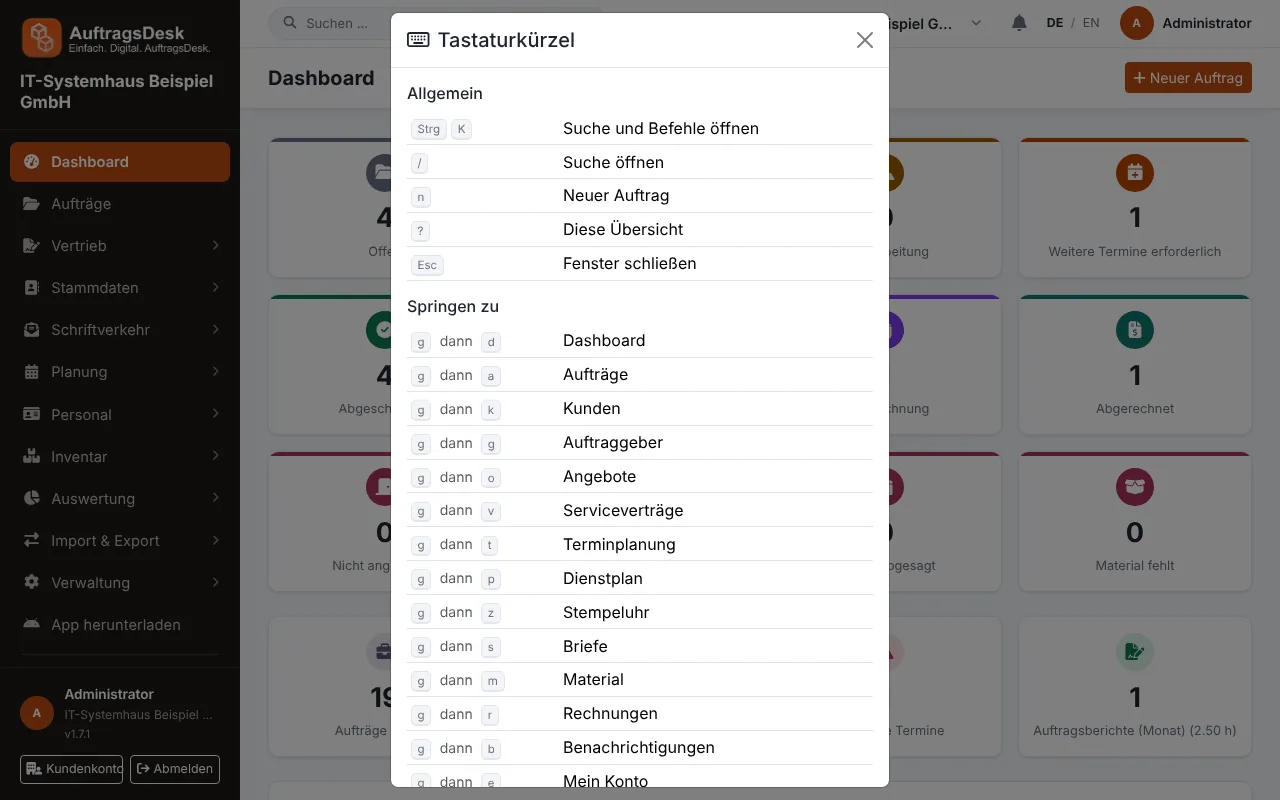
Press g followed by a letter to jump straight to a page, for example g a for orders, g k for customers or g t for scheduling. n creates a new order, ? shows all shortcuts.