

Job costing per order
Planned versus actual for working time, travel, materials and revenue, contribution margin per order, customer and month.
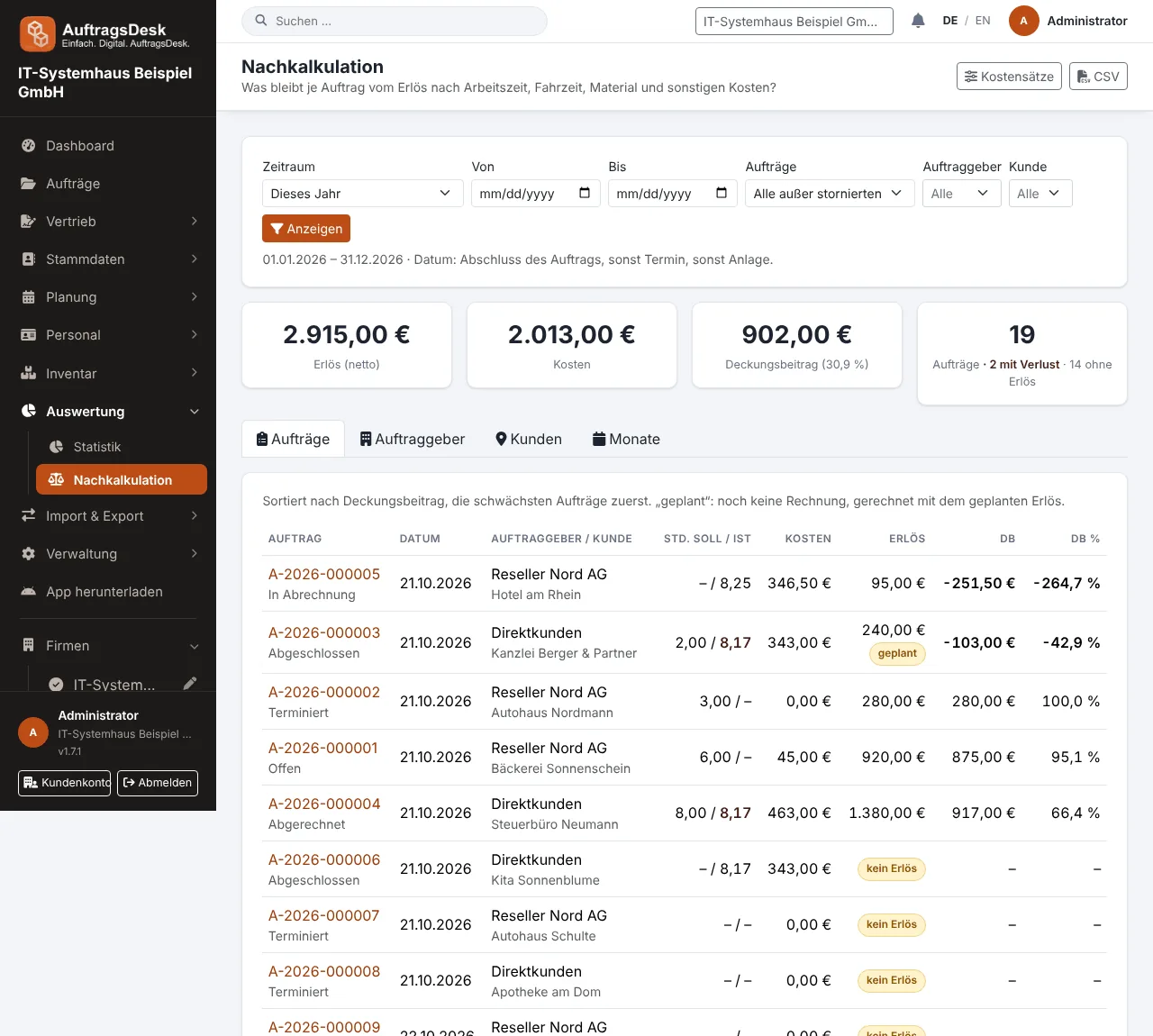
Job costing shows whether an order paid off. You find it under Analysis → Job costing and on the order under Functions.
Where actual values come from
Almost everything is captured automatically:
| Value | Source |
|---|---|
| Working time | time clock on the order (without breaks), otherwise work reports |
| Travel time | travel bookings followed by work on the order within 30 minutes |
| Material | net purchase price stored with the material booking |
| Revenue | last sent invoice draft, otherwise the service contract amount |
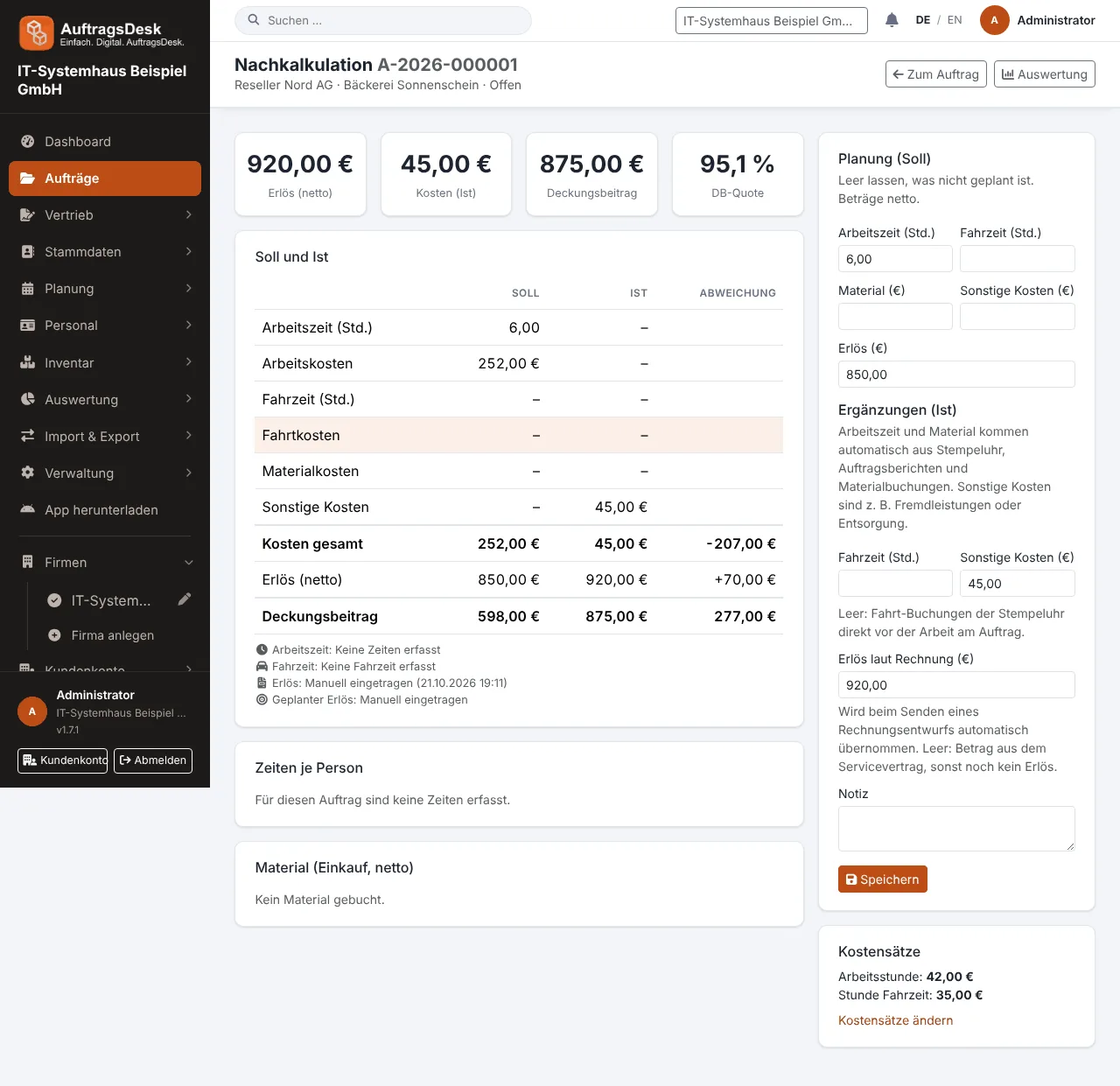
Other costs (such as subcontracted work) are entered on the order. Travel time and revenue can be corrected there too.
Planned values
Per order you plan hours, travel time, materials and revenue. If there is an accepted quote, its total is used as planned revenue.
Setting up cost rates
Under Job costing → Cost rates you define what a working hour costs: for the whole company and optionally per person, plus a separate rate for travel time. Without cost rates, working time cannot be valued.
The analysis
- orders sorted by contribution margin, weakest first
- totals per client, customer and month with chart
- any period, completed orders only or all
- CSV export
Job costing requires the "Job costing" permission. Everyone allowed to view statistics has it automatically.