
Digital maintenance contracts: jobs, invoices and direct debit on a fixed schedule
Define once what is to be done and how often. AuftragsDesk creates the jobs in time, drafts the invoice in your accounting software and prepares the SEPA direct debit if you like.
Recurring work gets lost in daily business
The yearly boiler service sits in a spreadsheet, someone writes the invoice by hand and nobody knows whether the customer was already debited. That costs time and revenue.
What it looks like in AuftragsDesk
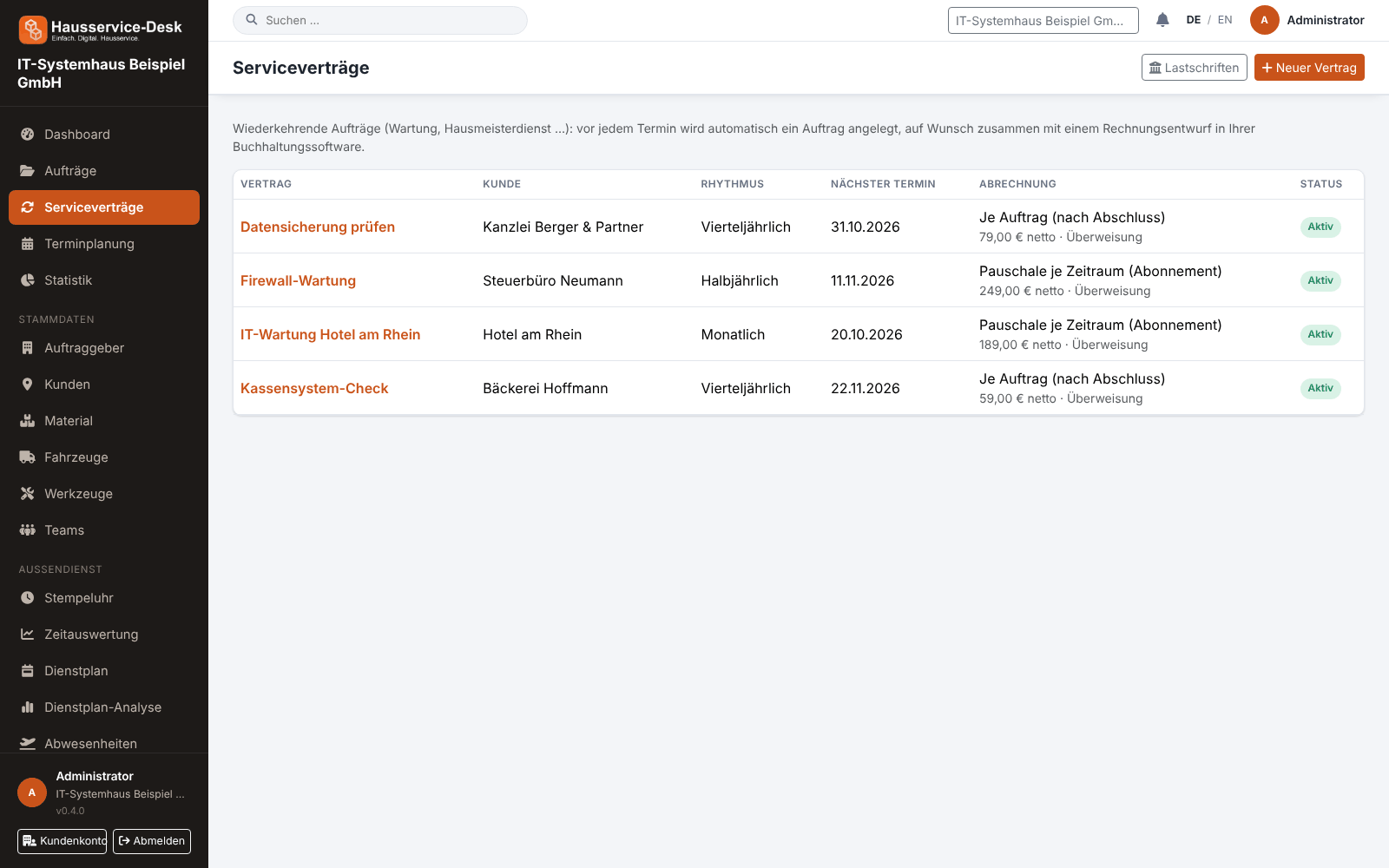
Views with sample data.
What AuftragsDesk does for you
Fixed schedules
Weekly, monthly, quarterly, half-yearly or yearly – with a start date, optional end and a freely chosen lead time.
Jobs appear by themselves
Before each date the job is created with description, notes and assignment. The technician finds it in the app like any other.
Subscription or per job
As a flat fee per period (subscription) or after the job is completed. You set price and VAT in the contract.
Invoice draft in your accounting
The draft lands in orgaMAX, Lexware Office or sevDesk. It is checked, finalised and sent there – nothing goes out unchecked.
SEPA direct debit
With the customer's mandate on file you create the collection file (pain.008) for your bank. Each collection is exported only once.
Everything at a glance
Pause, end, create the next job immediately and see per date whether the invoice draft was created.
How it works day to day
Create the contract
Set customer, description, schedule and – if wanted – price and payment method.
Carry out the jobs
Jobs appear in time in the calendar and in the technicians' app.
Invoice and collect
Check and send the invoice draft; for direct debit submit the collection file to your bank.
Frequently asked questions
Is the invoice sent automatically?
No. AuftragsDesk only creates a draft in your accounting software. You check and send it there yourself.
How does the debiting work?
You store the customer's SEPA mandate and your creditor data. That produces a collection file you upload in online banking.
Which accounting software is supported?
orgaMAX, Lexware Office and sevDesk. You set up the connection under Integrations.
More solutions
Job management
Control orders, customers, documents and material in one place, from intake to billing.
Time tracking
A digital time clock right on the order, with breaks and reports per employee.
Installation report
Photos, hours and signature right on the order, as a PDF download.
Roster & scheduling
Shifts, appointments and absences in one plan, with planned-vs-actual comparison.
Material, fleet, tools
Stock, vehicle deadlines and inspection dates at a glance, with reminders.
App for technicians
Everything for the job on one page: contact, route, workflow and job report.
Staff management
Personnel file, leave account, working time account and deadlines for IDs and certificates in one place.
Ready to try it?
Register, choose the plan that fits your business and get started. Cancel monthly, no setup fee.