
Digital installation report: photos, hours and signature on the order
On site, the installer documents with before, during and after photos, records the hours and has the customer sign digitally. The report is immediately attached to the order and can be downloaded as a PDF.
Without proof, every query becomes a dispute
When the customer asks later what was done, scattered phone photos and notes help little. A digital installation report documents the condition before and after, the time spent and the customer's acceptance in one place.
What it looks like in AuftragsDesk
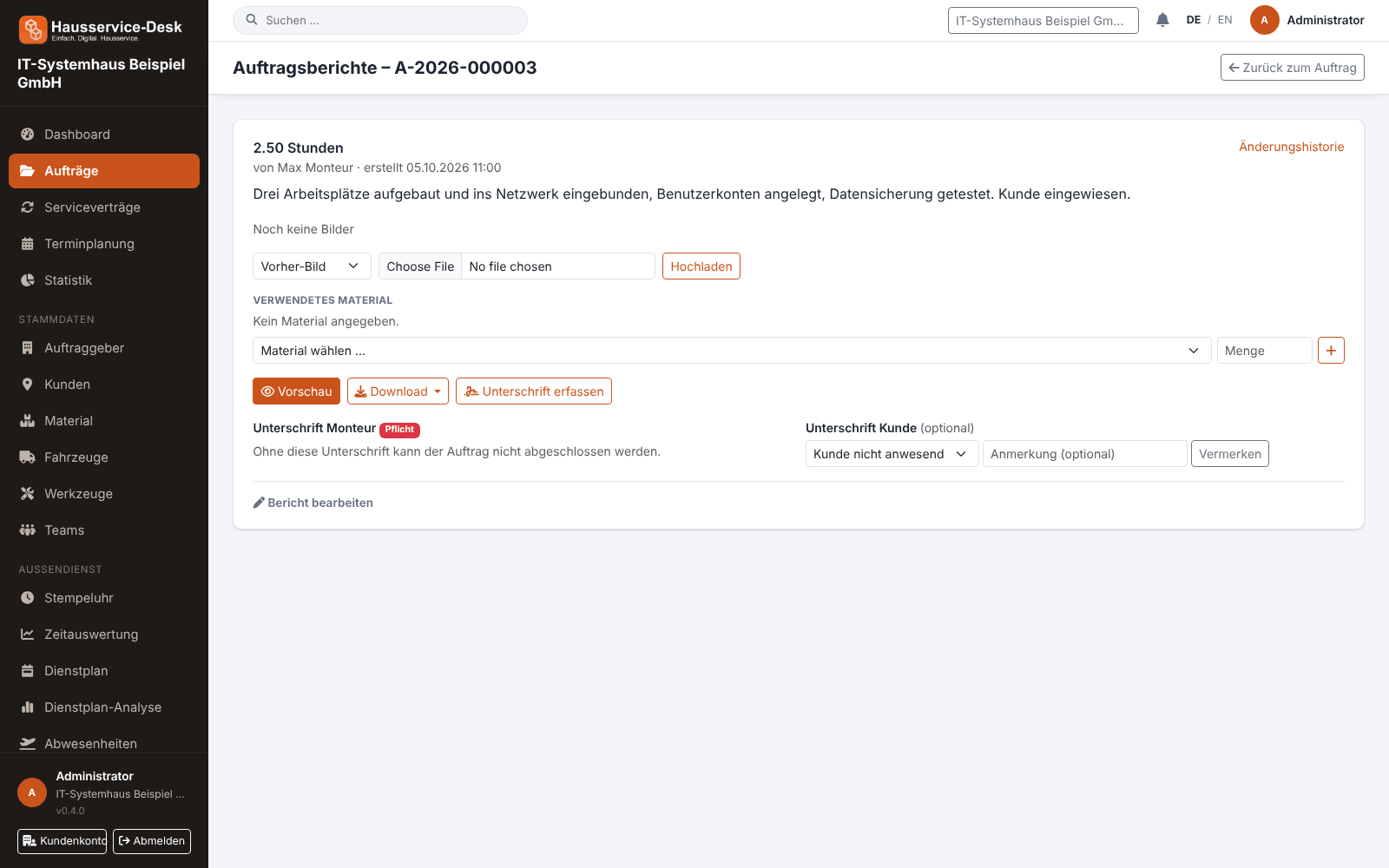
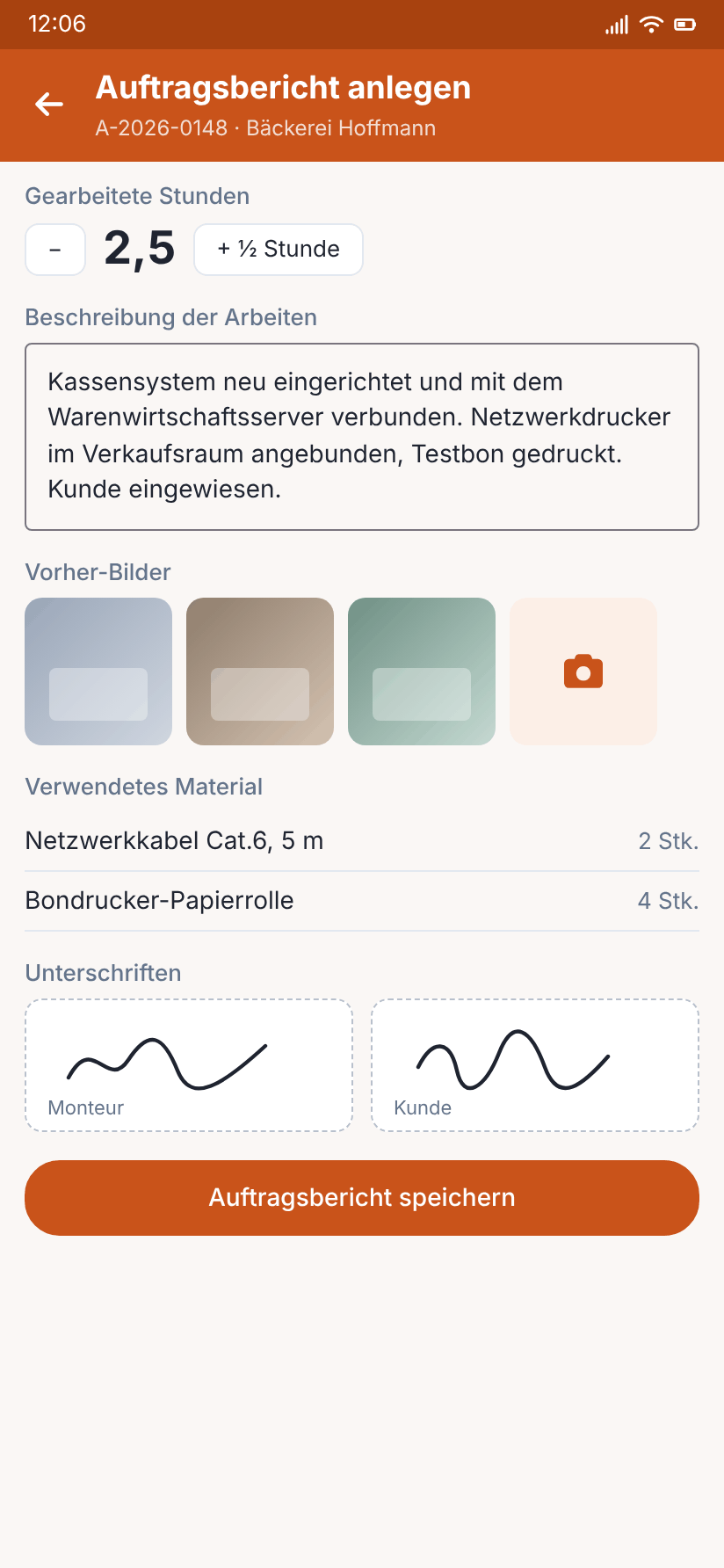
Views with sample data.
What AuftragsDesk does for you
Photos before, during, after
Attach several photos per phase to the report. For the status “In progress”, at least one before photo is required.
Two signatures
The technician's signature is mandatory, the customer's optional – on the device or by link. If the customer is absent or refuses, this is noted with a reason.
Hours spent
Record the hours per report, matching the time tracking on the order.
Clean PDF report
Header with job and customer, work, material and signatures on the first pages, all photos by category in the photo annex. The footer shows creation time and page number.
Change history
Later changes to the report are logged so it stays clear what was changed and when.
Everything on the order
Reports are attached directly to the order, next to documents, material and status history.
How it works day to day
Document the before state
Take photos of the initial condition and add them to the report.
Record the work
Enter hours and remarks, and add photos during the work if needed.
Acceptance and PDF
Add after photos, have the customer sign and download the report as a PDF.
Frequently asked questions
How does the signature work?
The technician always signs on screen – without it the job cannot be completed. The customer can sign directly on the device or, if enabled for that customer, via a one-time link. Name and time are recorded.
Can I change reports later?
Yes, reports can be edited. Every change is recorded in the change history.
Where do I find old reports?
On the respective order. All reports, images and documents of the order are there, and you can download them as PDF or ZIP.
More solutions
Job management
Control orders, customers, documents and material in one place, from intake to billing.
Time tracking
A digital time clock right on the order, with breaks and reports per employee.
Roster & scheduling
Shifts, appointments and absences in one plan, with planned-vs-actual comparison.
Material, fleet, tools
Stock, vehicle deadlines and inspection dates at a glance, with reminders.
Service contracts
Maintenance and facility services on a fixed schedule, with subscription billing and direct debit.
App for technicians
Everything for the job on one page: contact, route, workflow and job report.
Staff management
Personnel file, leave account, working time account and deadlines for IDs and certificates in one place.
Ready to try it?
Register, choose the plan that fits your business and get started. Cancel monthly, no setup fee.