
The app for technicians: from job to signature
The technician sees at a glance where, for whom and what to do, navigates to the site, works through the guided workflow and has the job report signed.
Important information is scattered
Address in the calendar, contact in an email, notes in a chat: on site exactly what is needed is missing.
What it looks like in AuftragsDesk
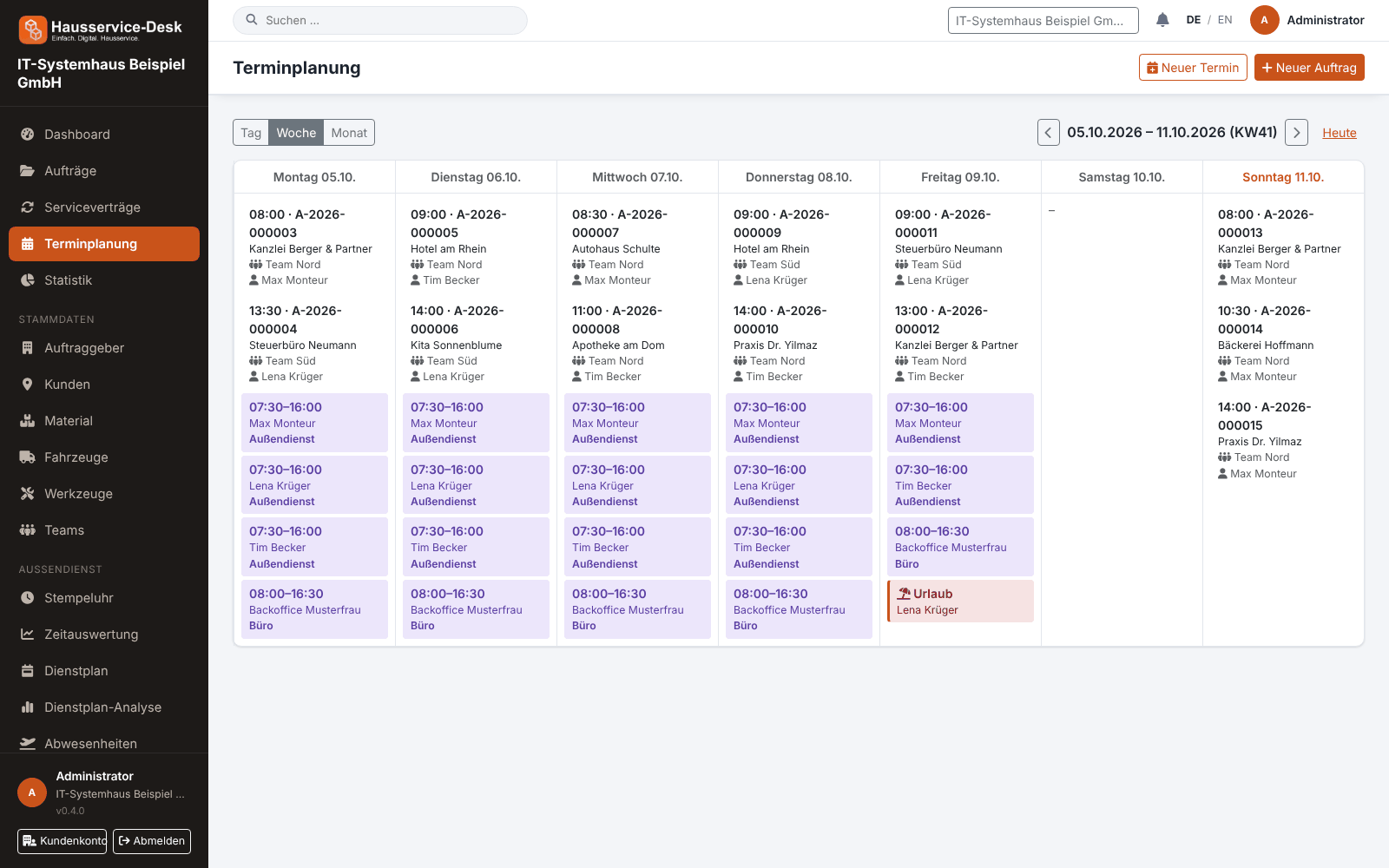
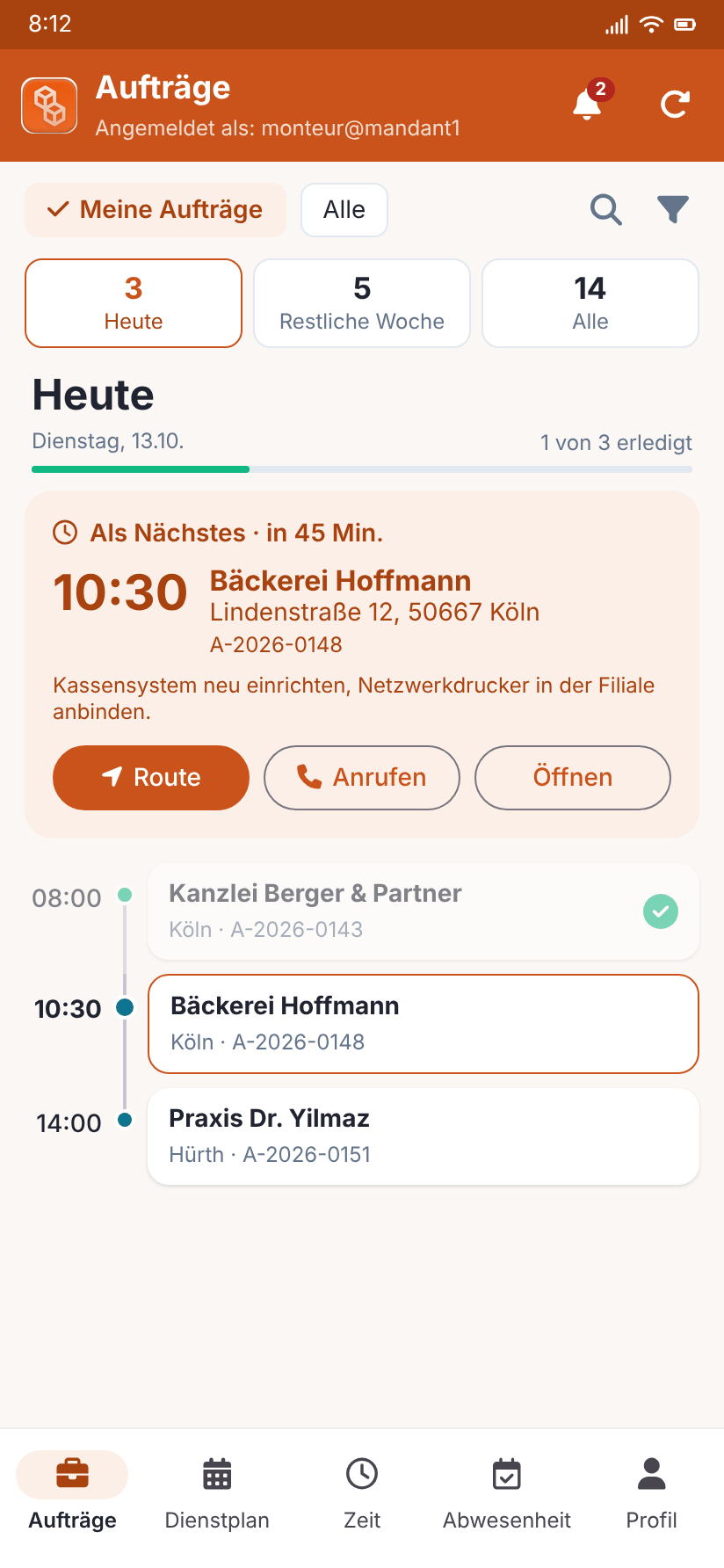
Views with sample data.
What AuftragsDesk does for you
Everything on one page
Status, date, contact with address and phone, assignment and the client's extra fields exactly as they are.
Navigation to the site
Route directly in the app or in Google Maps – choose in your profile.
Guided workflow
Start the job, before photos, job report, after photos, signature and completion – step by step.
Two signatures
Technician and customer sign on the display, or the customer receives a link. If the customer is absent you note the reason.
Signed in securely
Sign in with password and authenticator code; the app then stores only a revocable access token.
Time clock, rota, leave
Record time, view the rota and request leave – also half days – without going to the office.
How it works day to day
Open the job
Check contact, address and notes and start the route.
Work and document
Start the job, take photos, write the job report and book material.
Acceptance and completion
Collect signatures and complete the job – the PDF report is ready immediately.
Frequently asked questions
Which devices does the app support?
Android smartphones and tablets. The APK is provided through the app's update function.
Can I choose the navigation freely?
Yes. In your profile you choose between the in-app map, Google Maps and the system chooser.
What if the customer does not sign?
You note that the customer was absent or refused to sign. The job report stays valid once the technician has signed.
More solutions
Job management
Control orders, customers, documents and material in one place, from intake to billing.
Time tracking
A digital time clock right on the order, with breaks and reports per employee.
Installation report
Photos, hours and signature right on the order, as a PDF download.
Roster & scheduling
Shifts, appointments and absences in one plan, with planned-vs-actual comparison.
Material, fleet, tools
Stock, vehicle deadlines and inspection dates at a glance, with reminders.
Service contracts
Maintenance and facility services on a fixed schedule, with subscription billing and direct debit.
Staff management
Personnel file, leave account, working time account and deadlines for IDs and certificates in one place.
Ready to try it?
Register, choose the plan that fits your business and get started. Cancel monthly, no setup fee.