

Clocking in via QR code and NFC
Set up clock-in points at sites or the workshop, print stickers and clock in with one scan.
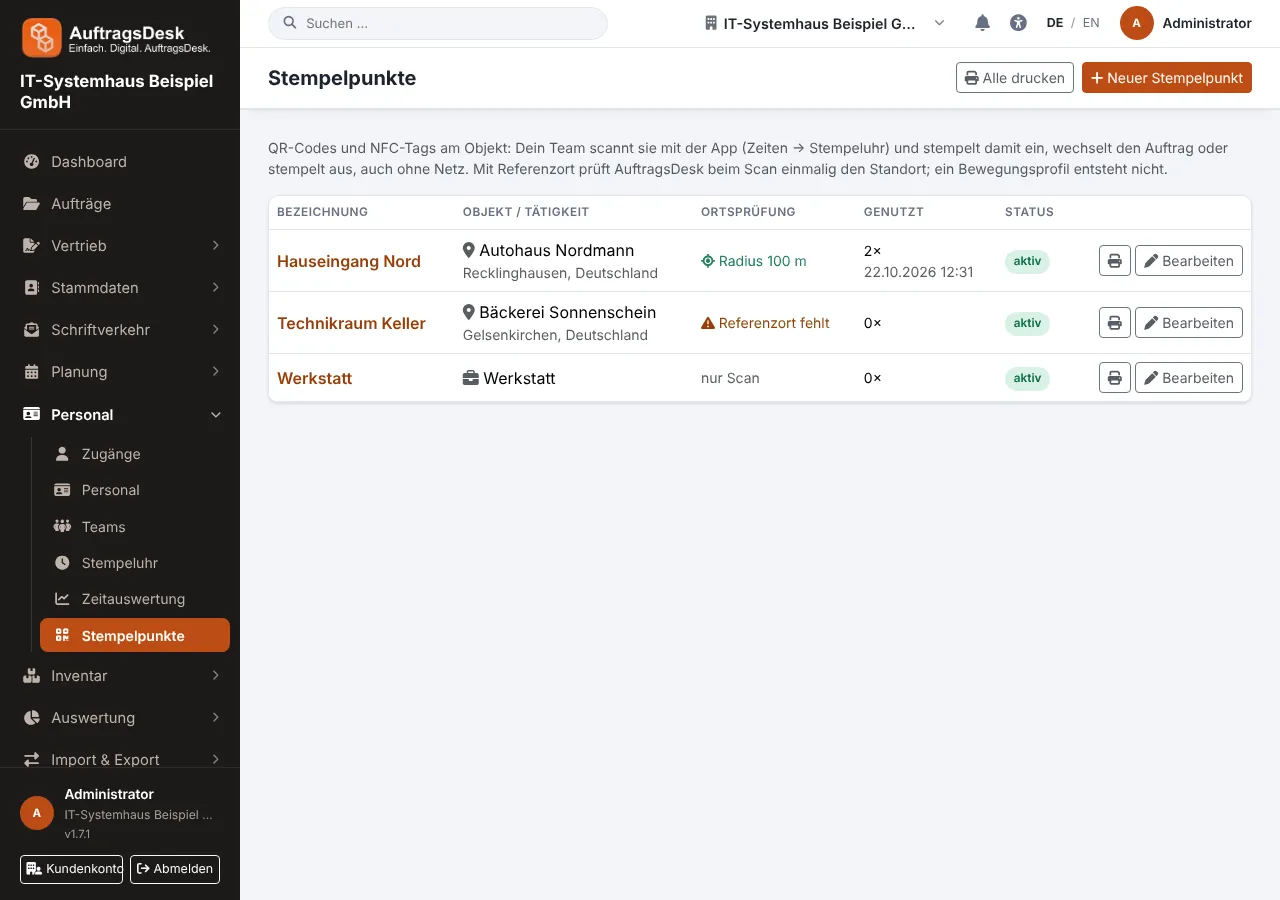
A clock-in point is a QR code or NFC sticker at a site, in the workshop or the warehouse. The employee holds their phone to it and clocks in, switches to this job or clocks out with one tap.
Setting up
- Open Personnel → Clock-in points (permission "Correct times").
- New clock-in point: for a site (customer or job location) or for an activity without an order, e.g. "Workshop".
- Print stickers with QR codes, individually or all on one sheet. NFC stickers are written in the app.
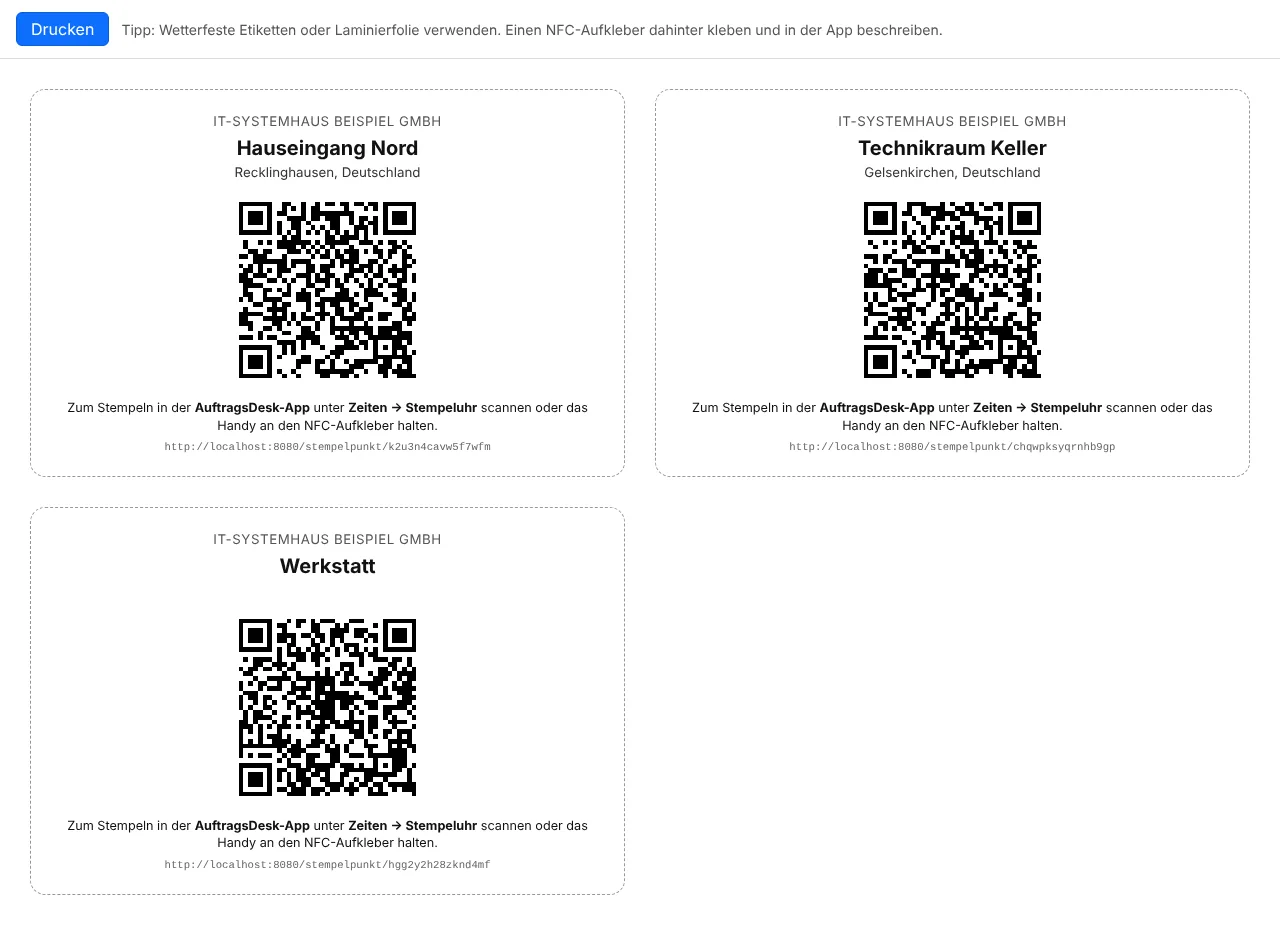
Clocking in the app
Under Times → Time clock the employee scans the QR code or holds the phone to the NFC tag, even without a connection. At a site the app books onto the matching own order (today's appointment first, a choice if there are several).
Location proof without tracking
If the clock-in point has a reference location, the app captures the location only once, at the moment of the scan. Stored are the distance and the result ("on site", "outside (350 m)", "no location"); AuftragsDesk deletes the coordinates after 90 days. There is no tracking and no movement profile.
The time report shows for each booking where and how (QR or NFC) it was made.
If a sticker has been lost, Generate new code invalidates all old printouts.