

Electronic signature (eSign)
Send any PDF for signature, with audit trail and verification, without an external provider.
Under Sales → Signatures you send any PDF for signature: order confirmations, contracts, acceptance reports. AuftragsDesk uses its own service for this; documents never leave the system.
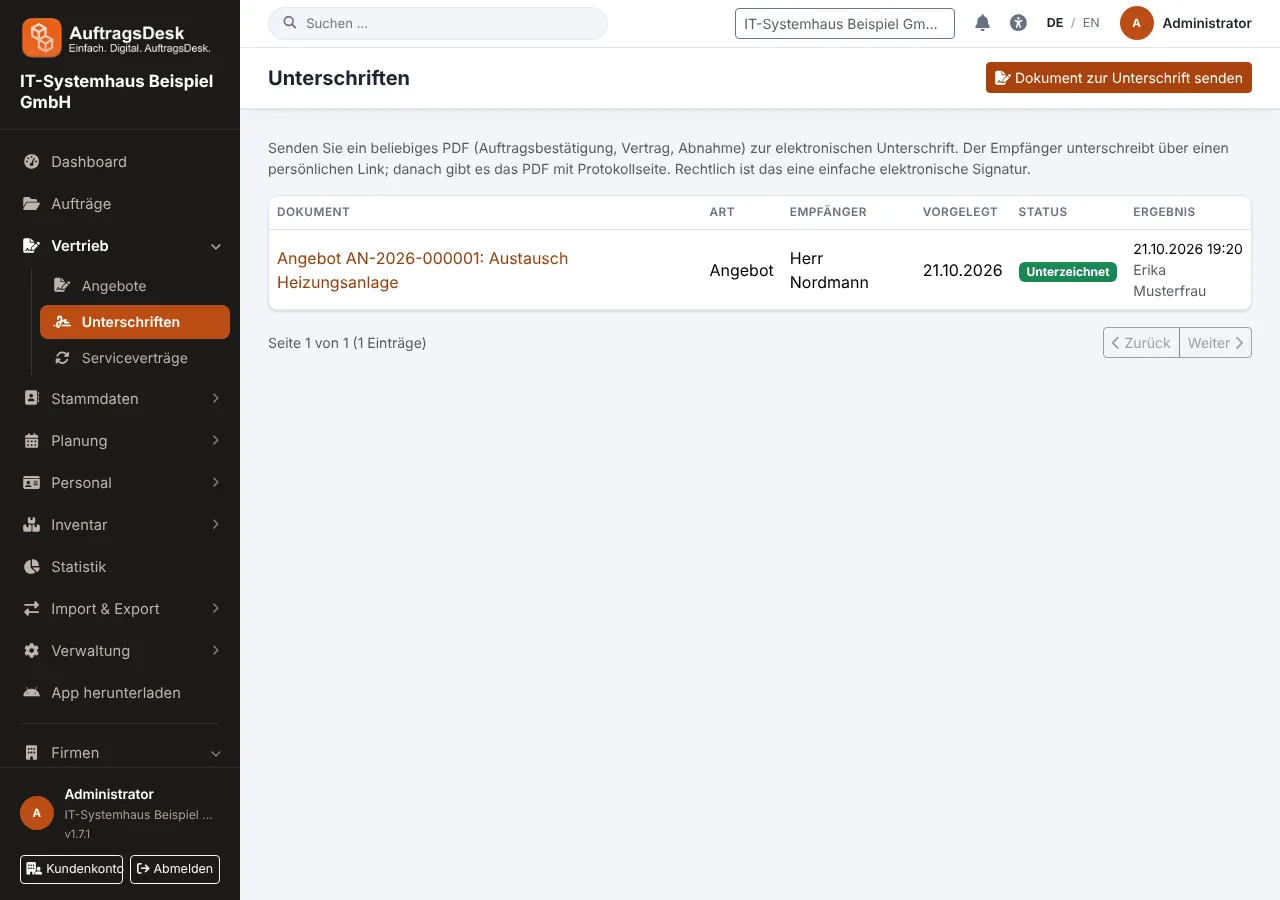
Requesting a signature
- Open New signature and upload the PDF.
- Choose the recipient (customer or any e-mail address), optionally a deadline and a message.
- Send. The recipient gets a personal link.
How the recipient signs
They open the link, read the PDF and sign in one of these ways, each with an explicit declaration:
- draw with mouse, finger or stylus
- type their name
- confirm by click
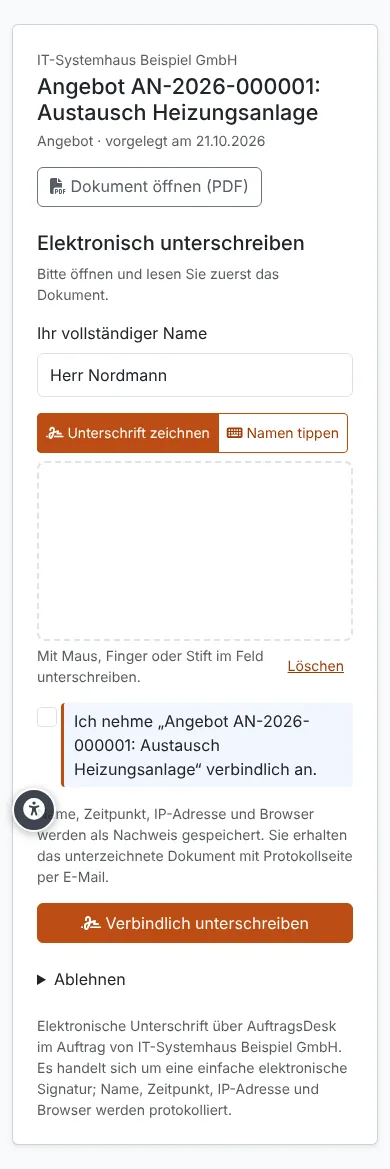
Signed PDF and audit trail
The signed PDF consists of the original pages with a note in the footer plus an audit page with signature, name, time, IP address, browser and the checksum (SHA-256) of the original. Every step (sent, opened, signed, declined, withdrawn) is recorded as a hash chain; later changes are detected.
Any file can be checked under /signatur/pruefen. Only the checksum is compared; the file is not stored.
Legally this is a simple electronic signature. It is suitable for quotes, order confirmations and acceptance reports, but does not replace a qualified signature where the law requires written form.