

Appointment booking in the customer portal
Customers book free time slots themselves, matched against absences, orders and the duty roster.
Your customers choose a free time slot in the portal under Appointments, for an open order or a new request.
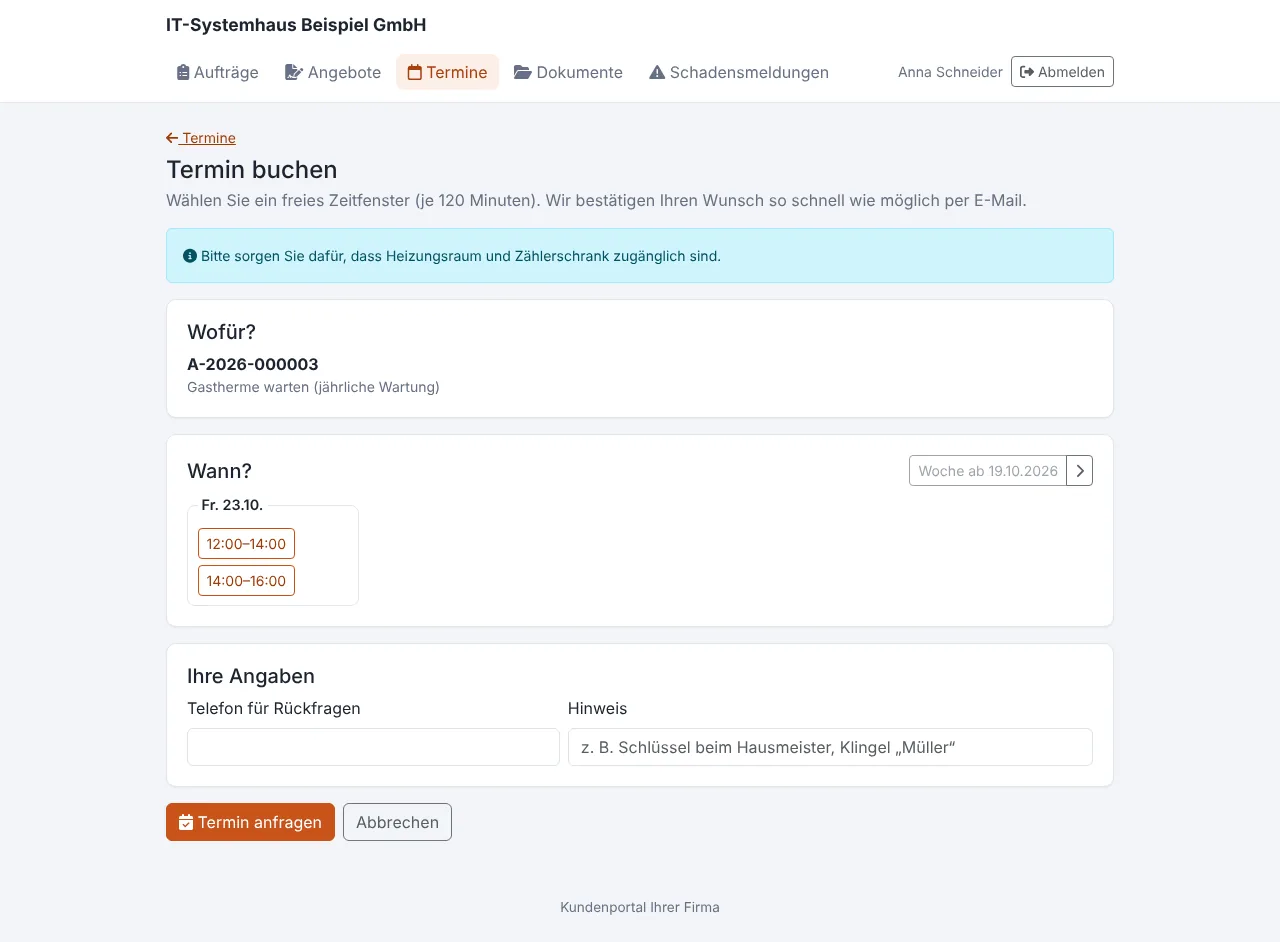
When is a slot free?
A slot is free if at least one of the bookable employees at that time
- is not absent (holiday, sickness, company holidays, also requested),
- has no order, no roster appointment and no open appointment request.
Public holidays in your federal state are never bookable. Optionally only people with a matching shift in the duty roster count. Two customers cannot book the same last free slot at the same time.
Setup
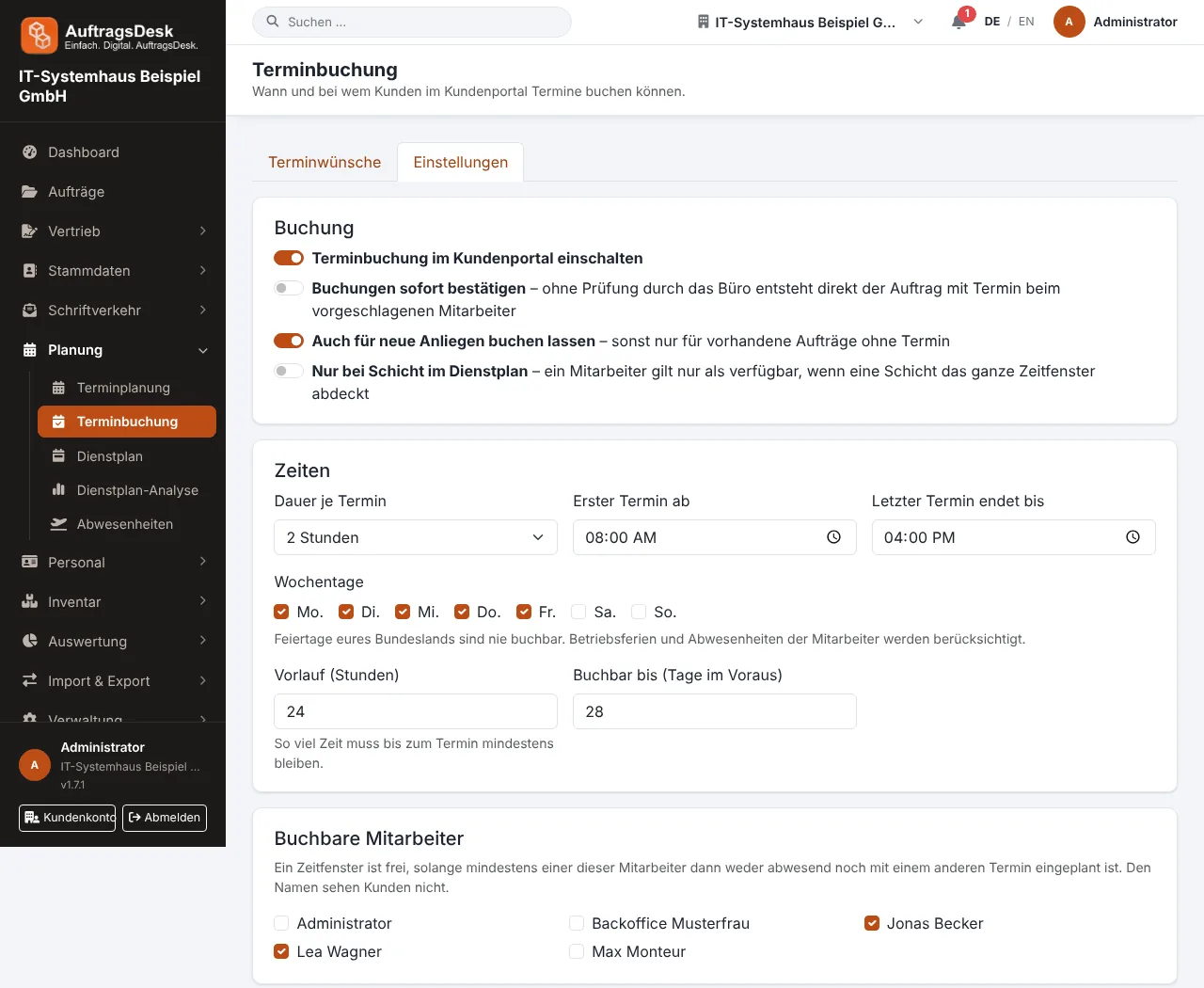
Under Planning → Appointment booking you define:
| Setting | Example |
|---|---|
| Duration per appointment | 2 hours |
| Times and weekdays | Mon to Fri, 8 am to 4 pm |
| Lead time and booking horizon | tomorrow at the earliest, 4 weeks at most |
| Bookable employees | e.g. customer service only |
| Note for customers | "Please provide access to the basement" |
| Confirmation | office confirms or booking applies immediately |
What happens after booking
The office receives a notification. On confirmation the order is created with an appointment for the suggested (or chosen) employee, or the existing order gets the appointment. It shows up in the published duty roster right away.
The customer receives e-mails on receipt, confirmation or rejection, with customer notifications set up also a text message, and the reminder the day before.