HS Order Management brings orders, appointment planning, time tracking, service reports, rosters and staff management together. Your field staff work with the Android app, the office sees almost in real time what is going on.
Order online and start right away · Data under German jurisdiction · Price per month
No tool salad: order, appointment, time and report interlock instead of being maintained in four separate programs.
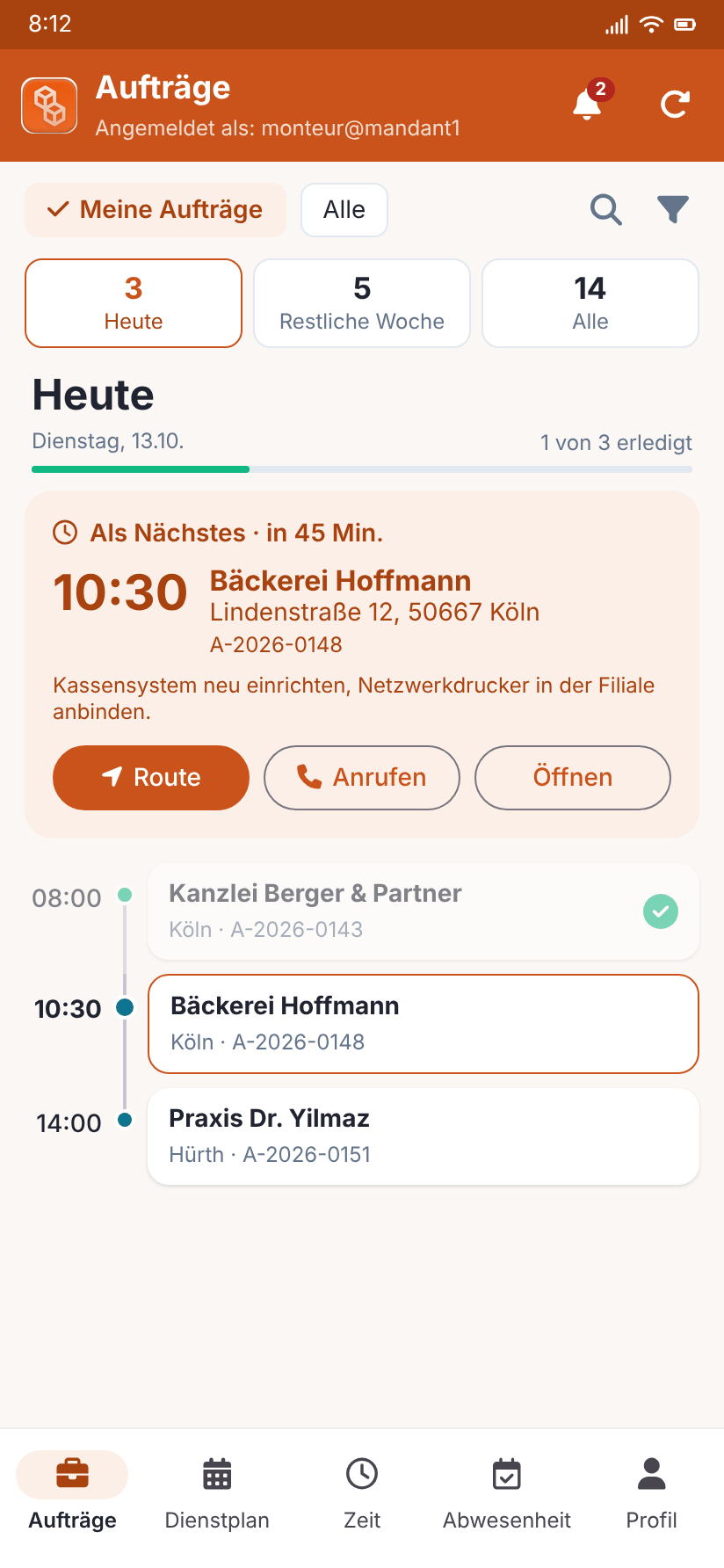
Orders, roster, time clock, absences and navigation in the app – with photos and signature right on site. Data is synchronised with the office continuously.
Clock in, out and breaks directly on the order. The working time account shows target, actual and overtime; the monthly export is the basis for payroll.
Photos, hours and two signatures (technician and customer) right in the job – traceable when the customer asks.
Everyone sees what they are allowed to see. Separate roles for office, field staff and administration.
The technician always signs, the customer on the device or by link on request. If the customer is absent, that is noted.
Recurring jobs are created automatically, the invoice as a draft in orgaMAX, Lexware Office or sevDesk – optionally by SEPA direct debit.
Two-factor sign-in with an authenticator app or passkey (fingerprint, face, security key) protects accounts even if the password leaks.
Contact person, the client's extra fields, notes and route to the job site – clearly on one page, with navigation in the app.
Employment type, leave account with public holidays per state, working time account, documents and reminders for expiring IDs and certificates.
Choose a plan, create your company, pay – by card, direct debit or bank transfer. Invoices, payments and balance are in the customer account.
No photo montage: these are the views the office, field staff and owners work with every day, shown here with sample data.
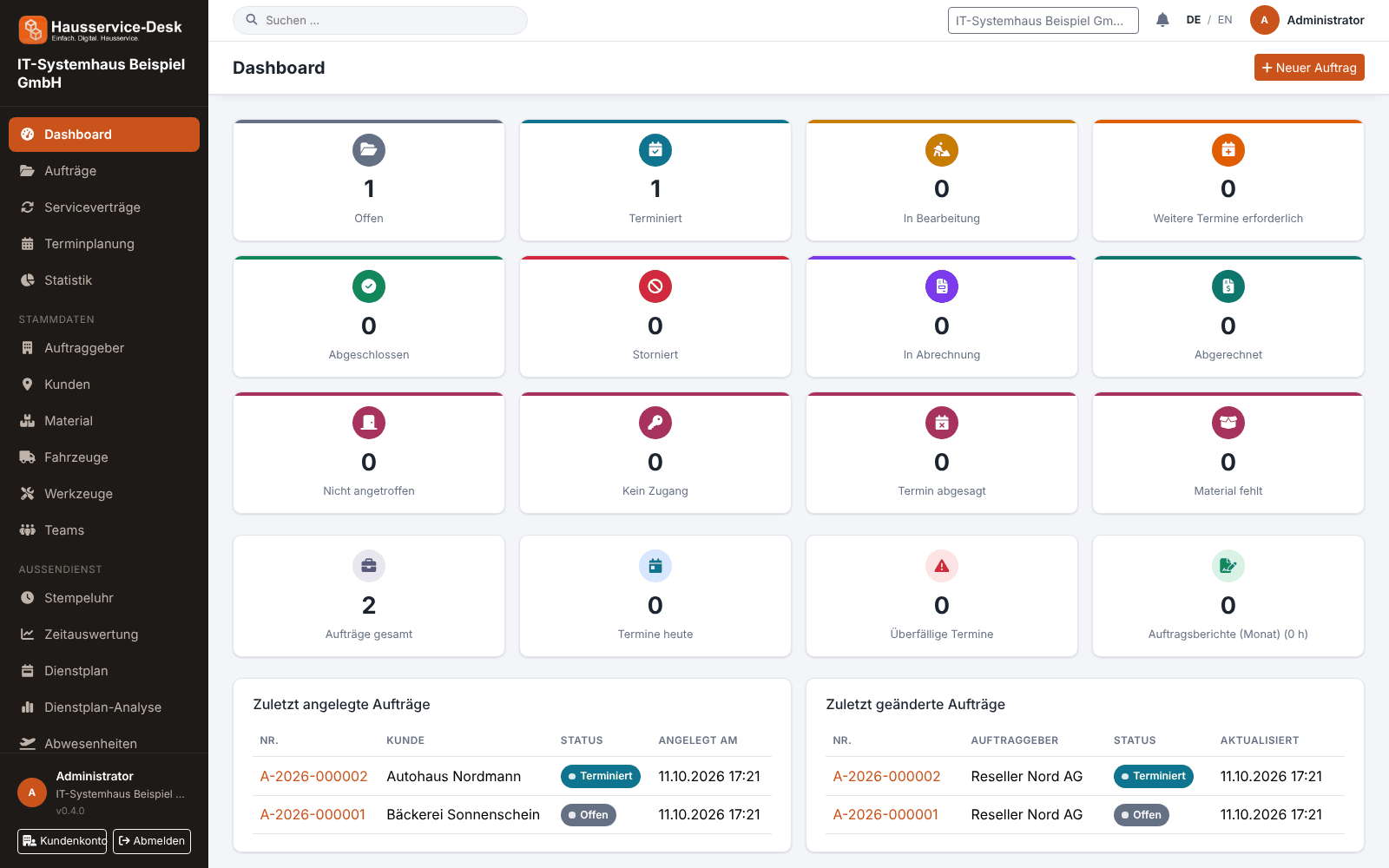
Jobs are created in seconds, assigned to the right technician or team with one click and show up in scheduling right away. The dashboard shows what is open, due today or overdue.
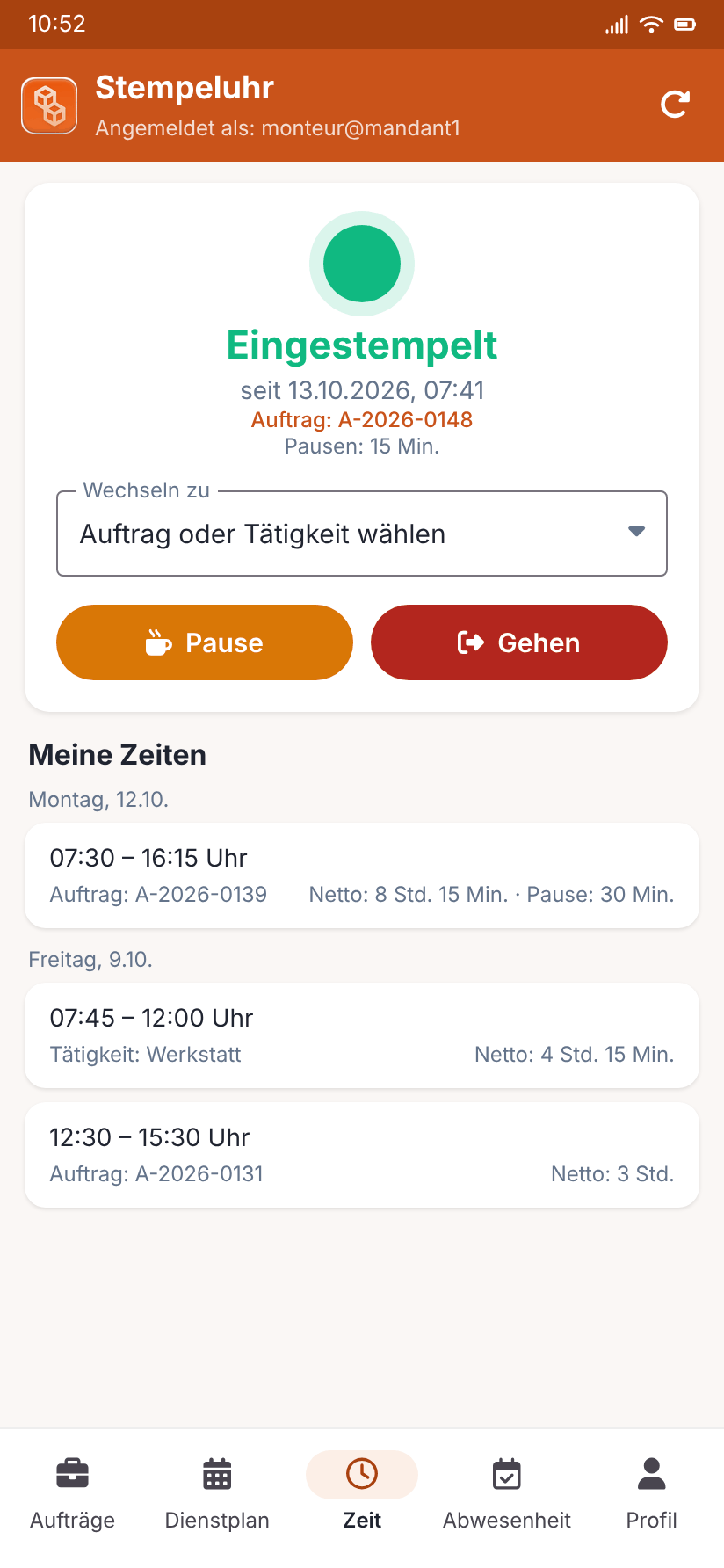
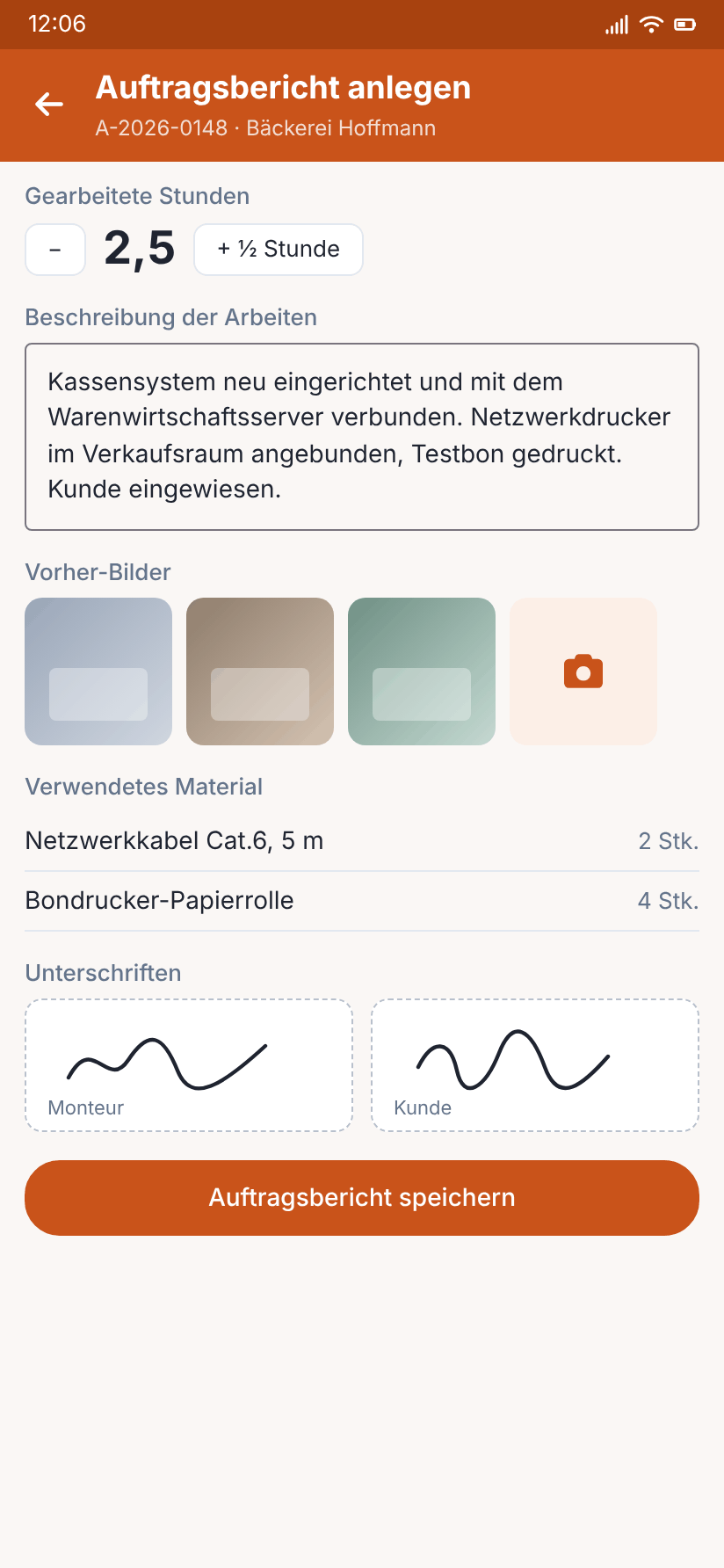
When opened, the Android app shows what is due today and what comes next, with route, call button and all job details. Time tracking, documentation and signatures happen on site.
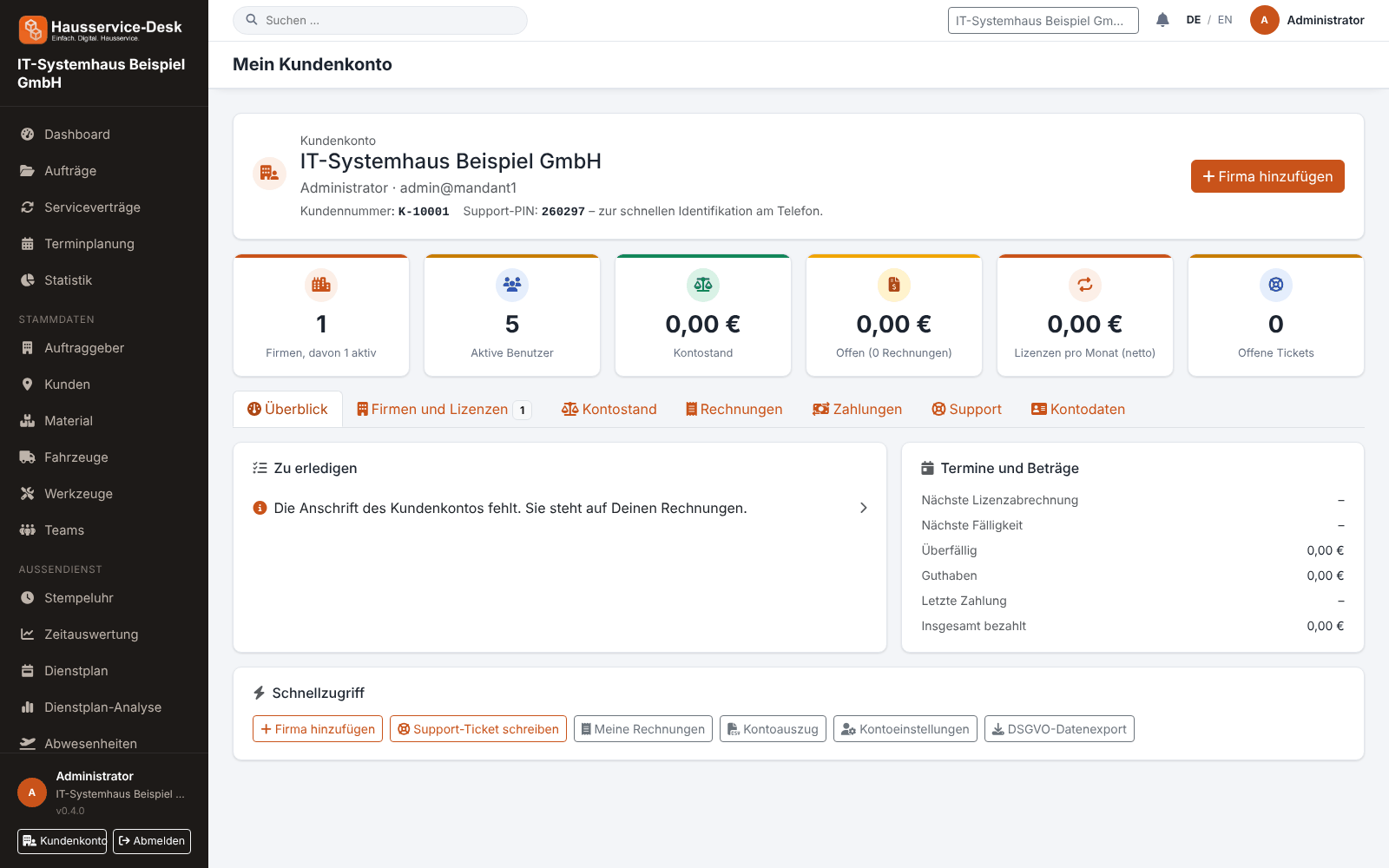
In the customer account you manage your companies and your package without phone calls or waiting. Orders paid online are activated immediately.
Learn how AuftragsDesk covers the individual areas of a trade business.
Control orders, customers, documents and material in one place, from intake to billing.
A digital time clock right on the order, with breaks and reports per employee.
Photos, hours and signature right on the order, as a PDF download.
Shifts, appointments and absences in one plan, with planned-vs-actual comparison.
Stock, vehicle deadlines and inspection dates at a glance, with reminders.
Maintenance and facility services on a fixed schedule, with subscription billing and direct debit.
Everything for the job on one page: contact, route, workflow and job report.
Personnel file, leave account, working time account and deadlines for IDs and certificates in one place.
Create your account in a few minutes and confirm your e-mail address. Questions beforehand? Write to us via the contact form.
Choose Basic, Professional or Enterprise, enter your company data and pay by card, direct debit or bank transfer. Companies paying online are activated immediately.
Create accesses with roles, add customers, vehicles and material, and keep your staff in staff management – with leave, deadlines and roster.
The office plans the first order, the field staff sign in to the Android app to clock in, report and collect signatures.
These basic functions are available to every tenant. You choose the modules listed below in your licence plan – the scope can be changed later.
Creation, status, appointments and documents per order - the basis for everything else.
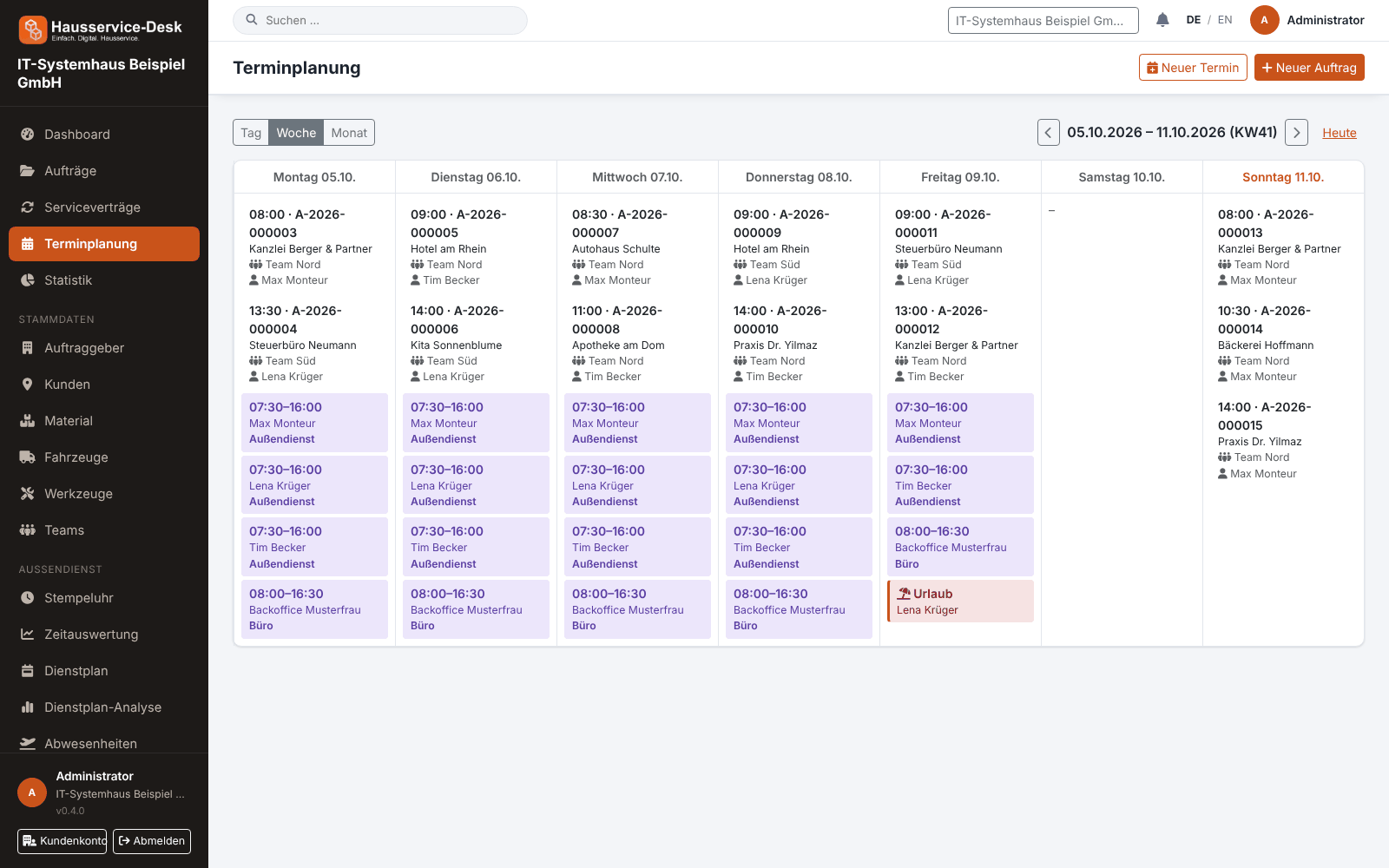
Day, week and month views with orders, shifts and absences – the system shows conflicts before they arise.
Time tracking on the order with evaluation per employee, order and month, timesheets and hints on breaks and rest periods.
Report with customer, material, photo annex by category and two signatures as PDF – page numbers and creation time in the footer.
Master data with contacts, history and open items.
Quotes, invoices and records stored with the order instead of in e-mail threads; files optionally in your own cloud.
Recurring jobs with interval and lead time, subscription billing, invoice draft in your accounting software and SEPA collection file.
Two-factor sign-in with authenticator app, recovery codes and passkeys; login protection against password guessing.
Several companies under one account, change licence, view invoices, payments and balance, data export and support tickets.
Orders, roster, time clock, absences, service reports with photos and signature, and navigation to the site.
Price depends on feature scope, not on the number of field staff. No setup fee.
The entry point for small businesses with clear processes.
For businesses with their own material, fleet and roster.
Full feature scope including interfaces and customer portal.
All prices net plus VAT. Cancel monthly. Questions about which plan fits? We advise you without obligation.
So invoices are not entered twice, HS Order Management hands invoice drafts over to the common accounting systems. The status is marked transparently below.
Hand over invoice drafts from orders and service contracts to Lexware Office.
AvailableReconcile invoice drafts and service orders with sevDesk directly via API key.
AvailableHand over customers and invoice drafts from orders and service contracts to orgaMAX.
AvailableFully automated: you register online, choose your plan and complete the order – with online payment your company is activated immediately, without waiting for an introductory call. You then create accesses, customers, vehicles, material and staff yourself; we are happy to help with questions.
Within German jurisdiction, GDPR-compliant. See our privacy policy for details.
Yes. Every plan can be cancelled monthly, there is no minimum term and no setup fee.
Yes. In your customer account you can download a full export of your data at any time.
Yes: sevDesk, Lexware Office and orgaMAX are supported as targets for invoice drafts. You set up the connection yourself under "Integrations"; the status is shown above under "Interfaces".
For trade and service businesses with field staff, from small teams to companies with their own fleet, material store and roster. You manage orders, appointments, time tracking, service reports, material, vehicles, tools and staff in one system.
No. HS Order Management runs in the browser, you need neither an installation nor your own server. For field staff there is also an Android app.
Want to know beforehand which plan suits your way of working? Write to us – or register right away and get started yourself. Advice is non-binding and free of charge.